











A Software Development Kit (SDK) is a set of tools, libraries, documentation, and code samples that developers use to build software applications more efficiently. Whether you’re developing a mobile app, web platform, or IoT system, SDKs provide the building blocks to speed up development and ensure compatibility with specific platforms or services. In this guide, we’ll explore what SDKs are, how they work, and why they’re essential for modern app development.
What is SDK?
SDK stands for Software Development Kit, a collection of tools and resources developers use to build software applications. It helps developers create software interacting with a specific technology or platform, such as a mobile operating system or a gaming console. It contains pre-written code, libraries, and tools that make it easier for developers to create smooth and efficient applications.
For example, a mobile SDK might include libraries for handling touch events, accessing device sensors, and working with a specific mobile operating system like iOS or Android. Game developers might use it to help them create games that run on a specific gaming console, like the Xbox or PlayStation!

The Features of a Good SDK
An excellent SDK should offer a range of features to make the development process easier and more efficient. Here are a few key features you are looking for in a good SDK:
- Ease of use: It should be user-friendly and easy to integrate into your development process. The tools and resources should be organized logically and intuitively, making it simple to find what you need.
- Robust libraries: They should include tools such as libraries for handling touch events, accessing device sensors, or working with specific operating systems.
- Comprehensive documentation: It should come with complete and up-to-date documentation to help developers get the most out of it.
- Regular updates: It should receive regular updates to stay current and relevant to the latest technological developments.
- Community support: An active community of developers using the SDK can provide valuable support and resources for troubleshooting and finding solutions to common development issues.
What are the Benefits of Using an SDK?
If you’re building an app or integrating complex features like chat, video, or payments, SDKs can dramatically speed up your development process. They offer developers a complete toolkit to save time, reduce bugs, and improve efficiency.
1. Accelerated Development Process
SDKs help streamline app development by offering ready-to-use components like libraries, APIs, and tools. These pre-built assets reduce the need to write functions from scratch, saving developers both time and effort during the coding and debugging phases.
2. Faster Time-to-Market
With built-in functionality and platform-specific guidelines, SDKs make it easier to develop and test applications efficiently. Many SDKs also support cross-platform capabilities, allowing teams to launch their products on multiple operating systems more quickly.
3. Seamless Integration
An SDK simplifies the integration of third-party services or complex features like payment gateways, real-time communication, or analytics. With bundled documentation, sample code, and testing tools, developers can ensure smooth compatibility with existing systems or platforms.
4. Enhanced Development Support
Most SDKs come with detailed technical documentation, tutorials, and debugging utilities, making it easier for both novice and experienced developers to adopt and troubleshoot during development. This reduces friction during onboarding and speeds up the learning curve.
How Does an SDK Work?
An SDK provides developers with a set of prebuilt tools such as libraries, APIs, code samples, and documentation. These tools simplify the process of building and integrating specific features into an application.
Instead of implementing everything from scratch, developers use an SDK to access complex capabilities like video calling, in-app messaging, payment processing, or location services. After integration, the SDK handles communication with the underlying platform or service it supports, such as iOS, Android, or cloud infrastructure.
By abstracting low-level implementation details, an SDK allows applications to perform required tasks more efficiently while maintaining consistent behavior across different environments.
SDK vs API
When integrating external services, developers often choose between using an API directly or working with an SDK. While the two are closely related, they serve different purposes and operate at different levels of abstraction.
Understanding the difference helps teams decide whether they need low-level control or faster integration with less implementation effort.
SDK vs API Comparison
| Aspect | API | SDK |
|---|---|---|
| Definition | An interface that defines how systems communicate | A toolkit that helps developers use APIs |
| Scope | Communication rules and endpoints | Libraries, tools, documentation, and examples |
| Includes | Endpoints, request and response formats | APIs plus client libraries and utilities |
| Level of abstraction | Low level | Higher level |
| Ease of use | Requires more manual implementation | Faster and easier to integrate |
| Boilerplate code | More | Less |
| Error handling | Handled by the developer | Often built in |
| Authentication | Implemented manually | Usually managed internally |
| Platform support | Platform agnostic | Custom or low-level integrations |
| Typical use case | Custom or low level integrations | Rapid development and feature integration |
Common SDK Tools That Power App Development
An SDK usually includes a set of tools that simplify integration and reduce development overhead. Common components include:
- Client libraries
Language-specific libraries that wrap API calls and handle request formatting, response parsing, and data models. - Authentication and configuration modules
Components that manage credentials, environment settings, and SDK initialization in a consistent way. - Helper utilities
Built-in utilities for retries, logging, error handling, and common workflows, which reduce boilerplate code. - Code samples and reference implementations
Practical examples that show how to integrate features in real applications rather than isolated snippets. - Documentation and developer tooling
Set up guides, API references, CLI tools, and debugging helpers that support development and troubleshooting across platforms.
Popular SDK Platforms for Software Development
Popular SDK platforms provide developers with ready-to-use tools that simplify building, integrating, and scaling application features across different environments.
1. iOS SDK
The iOS Software Development Kit provides developers with the tools necessary to build native applications for the iPhone and iPad. It was first released in 2008 by Apple. The iOS SDK contains frameworks, libraries, and tools, including Objective-C and Swift programming languages, an Xcode integrated development environment (IDE), and a Simulator for testing and debugging.
2. Android
The Android Software Development Kit was developed by Google and released in 2008. It is a free and open-source platform that provides developers with the tools to build applications for the Android operating system. The Android SDK includes a range of libraries, tools, and Android Studio, an IDE for creating, testing, and debugging Android applications.
3. Flutter SDK
Flutter was released in 2017 by Google and quickly became a popular choice for developers due to its fast and flexible nature. It uses the Dart programming language and provides a single codebase for building beautiful, high-performance, responsive iOS and Android applications. It also has a rich set of customizable widgets, a hot reload feature, and a fast development cycle. The Flutter SDK release was a game-changer in the mobile app development industry
4. React Native
The React Native SDK allows developers to build native mobile applications using JavaScript and the React library. React Native provides a seamless experience for users, with applications that look and feel like native applications. The React Native SDK provides access to native APIs, third-party plugins, and a rich library of components. The social media giant, Facebook, developed and released the SDK in 2015. Since then, it has become a powerful development tool for many app developers.
ZEGOCLOUD SDKs Explained: Everything You Need to Know
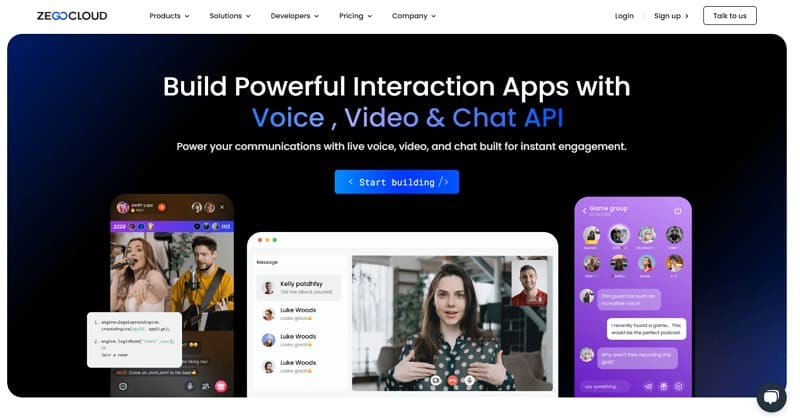
As businesses and developers increasingly seek to build real-time engagement into their apps, ZEGOCLOUD stands out by offering a full suite of powerful, low-latency SDKs. From live streaming to in-app messaging, these tools are designed to simplify development while delivering high-performance voice, video, and chat experiences across platforms.
Key SDKs Offered by ZEGOCLOUD
ZEGOCLOUD provides several SDKs to support a wide range of use cases:
1. Live Streaming SDK
- Supports ultra-low latency video and audio streaming.
- Perfect for gaming, entertainment, education, and e-commerce apps.
- Offers features like virtual gifting, co-hosting, and interactive overlays.
2. Video Call SDK
- Enables one-on-one and group video calls with HD quality.
- Supports screen sharing, background replacement, and voice changers.
- Ideal for video conferencing, customer support, and telemedicine apps.
3. Voice Call SDK
- Provides crystal-clear audio communication even in poor network conditions.
- Includes features like noise suppression, voice beautification, and 3D spatial audio.
- Widely used in social audio apps and collaborative tools.
4. In-App Chat SDK
- Allows for real-time text messaging, including private and group chats.
- Supports image, emoji, and file sharing.
- Easily integrates with other communication SDKs for multi-modal engagement.
5. UIKits for Flutter, React Native, Android, iOS, and Web
- Offers prebuilt UI components to speed up development.
- Helps reduce coding effort and ensures consistency across platforms.
Final Thoughts
Software Development Kit is essential for modern app development. In 2026, the study of SDKs continues to be a relevant and crucial topic as more and more businesses and developers turn to custom software solutions to meet their needs. Whether you’re a seasoned developer or just getting started, understanding the power and potential of SDKs is key to creating effective, efficient, and innovative software applications.
Read More:
FAQ
Q1. What is an SDK used for?
An SDK is used to help developers build and integrate features faster by providing libraries, tools, documentation, and examples for a specific platform or service.
Q2. What is an SDK vs API?
An API defines how systems communicate, while an SDK is a toolkit that often includes APIs plus libraries and tools to simplify implementation.
Q3. What is an example of an SDK?
Common examples include mobile SDKs for analytics, payment processing, maps, or video calling that developers integrate into apps to add functionality.
Q4. What is the difference between SDK and APK?
An SDK is a development toolkit used to build apps, while an APK is the packaged Android application file that gets installed on a device.
Let’s Build APP Together
Start building with real-time video, voice & chat SDK for apps today!
