











User expectations have shifted toward instant interactions, where delayed responses can lead to lost engagement and missed opportunities. People no longer want to wait hours or even minutes for replies, either in customer support or telemedicine. They expect conversations to flow naturally, just like face-to-face communications in real-time chat apps. Therefore, to have your concerns addressed proactively, learn more about real-time AI chat in this comprehensive guide.
What is Real-Time Chat?
A real-time chat app is an online messaging service where people send and receive messages with almost no delay. As long as users have an internet connection, they can talk from anywhere and see new messages appear right away. However, such services usually use special connections like WebSockets so the server can push new messages to everyone. This makes real-time chat convenient for any situation where back-and-forth communication is required.
Now, real-time chat also supports features such as typing indicators, read receipts, and notifications. In addition, some platforms provide message history and moderation tools to help businesses manage complex messaging infrastructure themselves.
How Does Real-Time Chat Work?
To fully appreciate the impact of online real-time chat, you actually need to see what happens behind the scenes. In this context, the given workflow explained how messages travel instantly, keeping users connected in real time:
1. Always-On Connection Between App and Server
Here, your app (web or mobile) opens a dedicated, always-on connection to a chat server, usually via WebSocket. Instead of sending a new HTTP request for every message, this one connection stays open to both sending/receiving messages. Thus, messages, typing signals, and presence updates can move immediately, making real-time chat feel live.
2. Sending a Message
When you press “send”, the app turns your text into a small data object (usually JSON) and sends it over that open connection. Later, the chat server receives this object, checks who you are, and may run basic rules like spam checks. Therefore, if everything seems fine, the server marks the message as accepted and prepares it for forwarding.
3. Delivering Messages to Others
After acceptance, the server broadcasts the message to all online participants who should see it. Their apps receive the data in real time, update the chat UI, and show the new message on screen. However, if someone is offline, the server can queue the message and later send it via push notifications or background sync.
4. Storing the Chat History
While messages are being sent, the server also saves each one in a database, keeping the chat history safe. Thus, when you reopen a conversation, the real-time chat app first loads recent messages from these databases. This way, new messages arrive on top of the history, and you’re able to see both past and current messages.
5. Extras: Typing, Presence, and Read Receipt
On the same real-time connection, the app also sends small indicators like “user is typing.” Moreover, the server shares these events with other users in the chat, letting them see typing indicators. These extra signals don’t carry complete messages but add important context, making the chat feel more human.
Key Features of Real-Time Chat Applications
Remember, powerful real-time chat SDKs equip applications with advanced features that improve performance and usability. Therefore, a list of important key features is discussed below that empower seamless interaction and better communication altogether:
- Instant Messaging: Messages appear in the chat window as soon as they are delivered, keeping the flow natural and continuous.
- Message History: Conversations are stored so users can scroll back and see older conversations whenever they need.
- Typing Indicators: Shows when someone is typing a message in the chat, letting users know a reply is coming soon.
- Read Receipts: This feature notifies senders when recipients view their messages, removing the guesswork.
- User Presence (Online/Offline): Presence status explains whether users are online or offline, helping others decide when to start a conversation.
- Reactions and Emojis: It allows simple, lightweight feedback using emojis and likes without typing a complete reply.
- Notifications and Alerts: Push notifications and in-app alerts notify users when they receive new messages or mentions.
- Rich Media and URL Previews: Some real-time chat APIs support sending images, files, voice notes, and even URL links.
- Threads and Replies: Users can respond to a specific message inside a busy chat, making long conversations easier to follow.
- Moderation and Safety Features: Today, chat systems also include moderation features such as blocking, reporting, and spam and profanity filters.
Use Cases of Real-Time Chat
With the continuous evolution of communication technology, businesses are expanding beyond messaging to more immersive experiences. Hence, combining instant messaging with real-time video chat, platforms can support multiple sectors through richer digital interactions:
1. Social and Community Messaging
Real-time chat powers private messages, group chats, and community channels inside social or community apps. It helps build a sense of community with features like reactions, mentions, and threads. As Stream states, apps that use in-app chat and targeted messaging have reported 28-day retention rates 61-74% higher.
2. Customer Support Inside Apps
Businesses embed chat into their apps or websites so customers can ask questions and get instant help. Thus, agents can handle multiple chats at once, share screenshots, and see full conversation history. Real-time chat also makes it easier to provide 24/7 support by blending human agents and chatbots.
3. Marketplaces and on‑Demand Services
Some marketplaces and on-demand apps (delivery, home services) use chat to enable communication between buyers and service providers. Moreover, it allows users to confirm details, share locations, and quickly resolve small issues. Research on LiveChat shows that businesses using real-time chat in e-commerce and marketplaces see a 20-40% increase in conversion rates.
4. Telehealth and Online Education
In telehealth, chat supports doctor-patient messaging, follow-up questions, and sharing reports in a secure way. However, in online learning, real-time chat enables class discussions, group work, and quick questions to teachers. Both use cases rely on timely communication, where real-time chat improves the quality of care and learning.
5. Gaming and Sports Communities
Games and sports apps use real-time chat apps for team coordination, group chat, and fan discussions during live matches. Thus, fast, low-latency messaging helps players strategize in real time and lets fans react together. Plus, features like emojis, reactions, and group channels make those communities alive during live moments.
Why Businesses Should Invest in Real-Time Chat Apps
Today, adopting online real-time chat empowers businesses to meet their audience demands with meaningful, real-time connections. Considering this, the following section highlights why businesses are increasingly investing in these solutions now:
- Better, Faster Customer Support: Real-time chat lets customers get answers in seconds, rather than waiting hours for emails or phone calls. According to Freshworks statistics, live chat earns a satisfaction score of around 82%, much higher than email (61%) and phone (44%).
- Stronger Customer Relationships: It feels like talking to someone in a store, which helps build a closer relationship with the customer. Thus, when people know they can reach you easily, they are more likely to come back and recommend you to others.
- Higher Sales and Conversions: With chat, you can talk to visitors while they are browsing or checking out, helping them pick the right product. A SocialIntents report says that adding a live chat can increase a website’s conversion rates by roughly 20-40%.
- More Engagement and Retention in Apps: In‑app chat keeps users engaged within the app instead of sending them to other platforms to communicate. This is because active conversations and support channels increase the time users spend with your product.
- Better Team Productivity and Lower Support Costs: Support agents can handle several chat conversations at once, unlike phone calls, where they address one at a time. As per Hiver research, live chat interactions are reported to cost about 15–33% less than phone support.
Best Practices for Building a Real-Time Chat App
For developing a professional real-time chat app, it’s important to follow strategies that ensure reliability and user satisfaction. Thus, review the practices given below when building a similar app to deliver a successful platform for all:
1. Plan for Scale and Low Latency
Design your chat app to handle multiple users and messages without slowing down, using protocols like WebSockets. In addition, planning for early growth avoids big rewrites when your user base and message volume increase. It also helps separate real-time services from the rest of your backend, preventing messages from breaking core business features.
2. Prioritize Reliability and Uptime
The real-time chat SDK in an app must always feel available, even when the connection is slow or drops. Moreover, it should display a status like “sending” or “failed” and automatically retry when the internet connection is restored. Users can queue messages locally and keep trying while offline to send everything in the right order.
3. Include Modern Chat Basics
People now expect features like typing dots, online/offline badges, reactions, and saved chat history. These small details make the chat feel human-friendly and help users understand what is going on without having to guess. Furthermore, they reduce confusion and support smoother conversation, showing message failed or recording indications.
4. Protect Privacy and Security
Always send messages over secure connections (HTTPS/WSS) and ensure users log in securely. However, the apps that handle sensitive topics comply with privacy laws and explain, in simple language, how long you keep messages. Moreover, you should offer users basic controls, such as blocking others, deleting their own messages, and downloading their data.
5. Work on Many Devices and Offline
Make sure chats look the same and stay in sync on phone, tablet, and desktop. Additionally, save recent messages on the device so users can read old chats even without an internet connection. Plus, sync aspects like message edits, deletes, and reactions for users continuing the conversation on different devices.
How ZEGOCLOUD Helps in Real-Time Chat
ZEGOCLOUD helps you add real-time chat to your app without building complex messaging systems from scratch. Moreover, its In-App Chat SDK supports one-to-one chat, group chat, and public channels with many advanced features. Essentially, you can integrate the push notification feature, allowing the server to send notifications to an offline user. It stores messages in your online real-time chat app and retrieves past conversations up to 1 year.
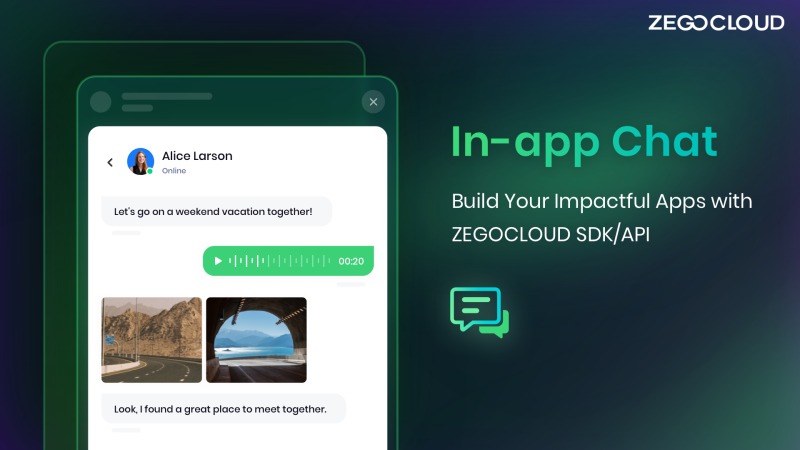
Most importantly, developers can integrate rich media attachments, including images, GIFs, and files, into chat. It works well if you want more than just text, since the same platform lets you combine chat with voice calls. Simply integrate its Voice Call APIs to enjoy direct, high-quality calls with a specific user. In addition, you get over 20 ready-made UIKits and SDKs for both web and mobile apps.
Conclusion
In summary, real-time chats are a must-have now to foster engagement, build stronger relationships, and improve user experience. They are well-known and widely used across sectors, including e-commerce, education, and social platforms. However, when developing a feature-rich real-time chat app, ZEGOCLOUD is the only provider that offers boundless UI/UX customization.
FAQ
Q1: What is a real-time chat?
Real-time chat is a messaging system where users can send and receive messages instantly without refreshing the page. It relies on technologies like WebSockets or real-time communication APIs to deliver messages with minimal delay.
Q2: How do I connect to LiveChat?
To connect to a LiveChat system, users typically log in through a website or app, join a chat room or session, and communicate with agents or other users in real time. Developers usually integrate chat SDKs or APIs to enable this functionality.
Q3: What is a real-time conversation?
A real-time conversation refers to live communication where participants exchange messages, voice, or video instantly. It is commonly used in chat apps, live streaming platforms, customer support systems, and collaboration tools.
Q4: Is there any free LiveChat?
Yes, some platforms offer free live chat tools with basic features. However, advanced capabilities such as scalability, customization, and real-time multimedia communication often require paid solutions or developer-focused APIs.
Q5: What’s the best way to develop a real-time chat?
The best way to build a real-time chat application is to use technologies such as WebSockets, WebRTC, or real-time communication SDKs. These tools enable instant message delivery, scalable infrastructure, and features like presence detection, message synchronization, and multimedia communication.
Let’s Build APP Together
Start building with real-time video, voice & chat SDK for apps today!
