










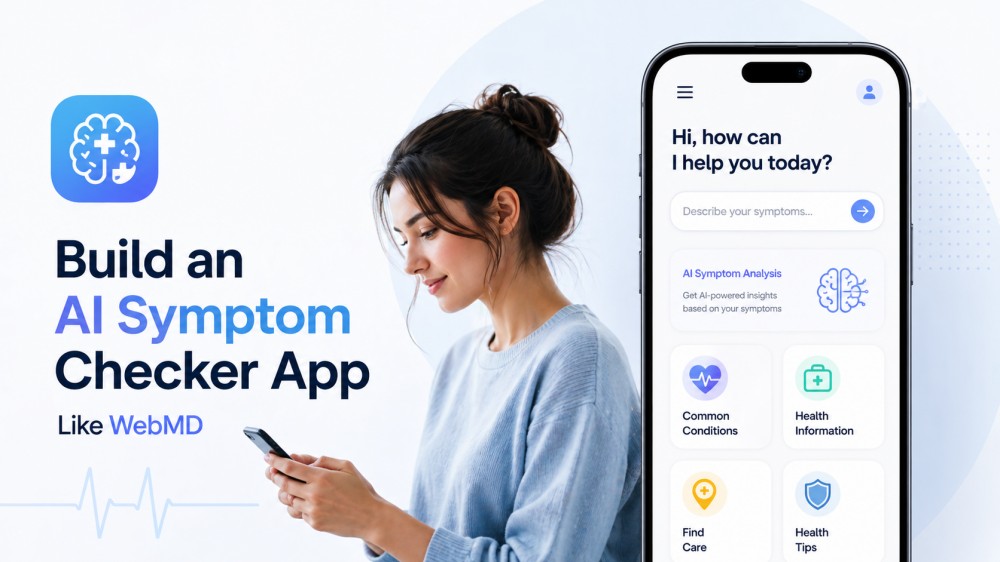
People now look for digital platforms for quick answers to their health concerns before consulting a doctor. Platforms like WebMD have laid the foundation by offering symptom-based insights, yet users encounter limitations, such as overly general results. Thus, an AI symptom-checker app, like WebMD, can directly address this need by combining advanced algorithms with medical data. So, construct a similar AI-checker app yourself from the guidance in this comprehensive guide.
What is WebMD?
WebMD symptom checker is a health website that gives people easy-to-understand information about diseases, symptoms, medicines, and everyday health topics. Moreover, it has articles, guides, and news written or reviewed by doctors to learn more about your health. This way, people make better choices when talking to their own doctor in person.
The service also offers tools such as a symptom checker, pill identifier, BMI calculator, and pregnancy tracker. The site says it follows strict journalistic standards, keeps its medical content independent of advertisers, and regularly updates its information. In addition, you’re supported by more than 100 doctors and specialists to stay accurate.
Key features of WebMD
Analyze the core capabilities of the WebMD health service to understand what users value in a digital symptom checker today:
- Wide Range of Health Topics: It covers a broad range of health topics, including mental health, diet, weight, relationships, and more. You can read focused sections on specific conditions, such as depression, eczema, or sleep disorders, to find detailed information.
- Symptom, Drug, and Health Tools: WebMD offers practical tools like a BMI calculator, an ovulation calculator, a drug interaction checker, and a calorie counter. Thus, the tools quickly help you navigate basic health questions such as “could these medications interact?”
- Expert-Reviewed Health Articles and Guides: Articles and guides on WebMD are written and reviewed by doctors, nurses, and over 100 health experts. They further claim to conduct regular reviews and updates, follow strong journalistic principles, and maintain editorial independence from advertisers.
- Health News and Updates: The WebMD website has a news section that reports on new treatments, drug warnings, recalls, and medical research. This section helps users stay informed about important health changes that might affect them or their families.
- Personalized Newsletters and Programs: You can sign up for free WebMD newsletters that send doctor-approved health and wellness tips directly to your email. Moreover, the site focuses on building healthy habits and whole-body health with science-based advice and community support.
How Does WebMD Work?
With a review of WebMD functions, you can gain insights into the workflow of a successful symptom checker:
1. Browsing Health Topics
WebMD works by organizing health information into clear sections like mental health, diet, and weight. Once you click a topic, you get simple articles that explain the condition, common symptoms, treatment options, and everyday tips. Thus, it feels like an online health book, but broken into small, easy pages that you can open as needed.
2. Using Health Tools
Another way WebMD works is through its built‑in health tools that you can use directly on the site. These include a BMI calculator, ovulation, due-date calculations, and a pill identifier to help you recognize medicines by their shape. With other tools like cold and flu maps, you can quickly do basic checks at home, such as tracking weight.
3. Reading Health News and Stories
A WebMD health service works as a health news site where you can read about new medical research and safety alerts. It publishes news on topics like new weight-loss medicines, insulin supply problems, vaccine updates, and health trends such as obesity. Alongside news, it shares feature stories and guides on living with long-term conditions, including tips for managing pain.
4. Getting Newsletters and Expert Advice
The website even sends health information and details directly to users through free email newsletters and special programs. You can sign up for newsletters on topics like general wellness, specific diseases, or lifestyle, such as skin care. Behind the scenes, WebMD uses strong editorial standards, keeps its health content separate from advertisers, and relies on doctors.
Limitations of WebMD
While services like WebMD offer convenient access to health information, they are not without their shortcomings. Thus, with an understanding of these gaps, you can evaluate whether WebMD is reliable for making health decisions:
- Not a Real Doctor: WebMD gives general health information, but it does not know your full medical history or test results. It cannot examine you, order tests, or make a proper diagnosis like a real doctor would in a virtual app.
- Risk of Self-Diagnosis and Worry: As WebMD lists many possible conditions and serious diseases, people sometimes scare themselves by thinking they have the worst illness. This can lead to anxiety, stress, and wrong self-diagnosis if you do not talk to a doctor.
- Information Can Feel Overwhelming: It has a huge amount of content, links, and tools on many different conditions. However, it’s helpful but can also feel confusing or overwhelming for someone who is not used to reading medical information.
- May Not Fit Every Country or Culture: Much of WebMD’s health service information is written mainly for people in the United States. Thus, treatment options, medicine names, and healthcare advice may not match what is available or normal in other countries.
- It’s Not Always Updated: Although WebMD says it regularly reviews and updates its articles with help from many doctors and experts. Still, many pages may not reflect the very latest research, guidelines, or drug warnings at any given moment.
Key Features of an AI Symptom Checker App
As users become more aware of WebMD’s limitations, the expectations for more responsive healthcare apps continue to rise. Building on insights from platforms like the WebMD symptom checker, AI solutions aim to deliver a more personalized experience:
- Easy Symptom Input (Chat or Forms): The app lets users describe their symptoms in normal language, either by typing or speaking. It allows selecting symptoms from simple lists and adding details like how long, how strong, and where the problem is.
- Smart, Informative Questioning: Instead of asking the same fixed questions every time, the app changes its questions based on the user’s previous answers. Thus, conversations are more focused, helping the AI quickly collect the exact information it needs.
- Multi‑Symptom and History Analysis: A professional app can handle multiple symptoms at once, not just the one the patient describes. Moreover, it examines combinations such as “fever + cough,” along with basic details such as age and gender.
- AI‑Powered Condition Suggestions: The core feature is an AI engine that compares the user’s symptoms with a large medical database of conditions and cases. It then shows a list of possible causes with simple explanations, usually ordered from most likely to least likely.
- Clear Next Steps and Guidance: After the checks, the app explains what users should do in simple, concise terms. It suggests home‑care tips, when to see a GP, which symptoms are “red flags,” and when to call emergency services.
- Integration with Doctors and Appointments: Many professional AI symptom checkers, like WebMD, connect directly to clinics, telemedicine, or booking systems. This lets users book an appointment, start a video call with a doctor, or send their symptom summary to clinics.
- Multi‑Language and Accessibility Support: To reach more people, many apps support several languages and sometimes voice input or simple, large‑text layouts. Hence, users who are not fluent in English or have difficulty reading long medical texts can easily explain their symptoms.
Tech Stack to Build an AI Symptom Checker App
For the development of an improved version of WebMD symptom checker, review the given table for tech stack:
| Layer | Major Tech Stack |
|---|---|
| Frontend App | React Native, Flutter, Kotlin; for web, React or Next.js for symptom forms |
| Backend/APIs | Node.js, FastAPI (Python), Django, or Spring Boot (Java) for user accounts. |
| AI/ML Layer | Python, TensorFlow, PyTorch for condition prediction or risk scoring |
| NLP Engine | Hugging Face Transformers, MedSpaCy, and LLM APIs for understanding free-text symptom input and extracting medical terms |
| Clinical Rules Engine | Rule-based logic, Bayesian models, red-flag detection for urgent classification |
| Medical Knowledge Base | SNOMED CT, ICD-10, UMLS, clinical guidelines, symptom-condition databases |
| Cloud/Hosting | AWS, Azure, Google Cloud with container support, scalable APIs, and secure storage |
| Analytics/Monitoring | Firebase Analytics, Mixpanel, Datadog, Sentry, model monitoring tools |
| DevOps/Deployment | Docker, Kubernetes, CI/CD pipelines, GitHub Actions, automated testing. |
How Much Does It Cost to Build an AI Symptom Checker App?
Compared with established platforms like the WebMD website, a custom-built AI symptom checker can vary significantly in cost. Therefore, for your assistance, a concise table is given below, demonstrating the view of major cost aspects and typical ranges:
| Key Considerations | Typical Cost Range (USD) | What It Covers |
|---|---|---|
| Overall App (Basic Symptom Checker MVP) | From around $30,000-$60,000 | Core symptom input, basic AI logic or rules, simple UI |
| Complete App (Full AI Symptom Checker) | Start from $80,000-$150,000+ | Advanced AI, rich triage flows, multi-platform integration |
| UI/UX Design | Roughly about $8,000-$15,000 | User research, flows, wireframes, visual design |
| Backend & Integrations | Estimatively from $15,000-$40,000 (varies with integration) | APIs, databases, and authentication |
| Testing & Quality Assurance | Nearly around $5,000-$20,000, depending on the scope | Functional, security, performance, and clinical-safety testing |
| Maintenance (Yearly) | Approximately 15-25% of the initial build cost per year | Bug fixes, updates, and server costs |
How Long Does It Take to Build an AI Symptom Checker App?
In the development of a proper AI symptom checker app similar to WebMD, a realistic timeline is usually 3-6 months. However, it might take 6-12 months to develop a complete, clinically validated product with integrations. The shorter end fits a focused app with limited features and simple AI, while the longer end is needed for complexity.
This time is split across stages like planning and medical research (2-4 weeks), and building an AI model (6-12 weeks). After this, clinical testing, validation, and phased rollout take another 4 to 8 weeks. In practice, AI symptom checkers usually take extra time for safety checks, compliance, and feedback. Therefore, rushing any app under 3 months is risky for anything beyond a simple MVP.
How ZEGOCLOUD Helps Build an AI Symptom Checker App
ZEGOCLOUD helps turn a simple AI symptom checker into a complete telemedicine experience through its real-time SDKs. Developers can incorporate real-time Video, Voice, and In-App Chat APIs for an interactive session between the patient and doctors. However, these SDKs are ready-made and can be integrated directly into Web, iOS, and Android apps like the WebMD website. You can start with AI symptom questions and smoothly switch to ultra-low-latency live consultation.
It also provides useful extras for medical use, such as 4K-capable video with AI enhancements (noise reduction, super resolution). This way, you can keep calls clear even on weak networks, along with global network and monitoring tools for stable streaming. For developers, ZEGOCLOUD also offers 20+ UIKits and telemedicine-focused components, eliminating the need to build all the communication logic from scratch.
Conclusion
In conclusion, remember that building an AI symptom-checker app like WebMD opens the door to a more advanced, personalized approach. To bring this idea to life, we’ve provided you with a detailed tech stack, the development timeline, and cost estimates. However, it is recommended to incorporate the ZEGOCLOUD real-time SDKs to improve video consultations and the overall user experience in the app.
FAQ
Q1: Is there an AI symptom checker?
Yes, several AI symptom checkers are available today. They use machine learning to analyze symptoms and suggest possible conditions, helping users get initial guidance before consulting a doctor.
Q2: Is there an AI alternative to WebMD?
Yes, many AI-powered platforms now offer similar or enhanced features compared to WebMD. These tools provide real-time symptom analysis, personalized insights, and conversational interactions.
Q3: Is there a free AI tool for medical diagnosis?
Some AI health tools offer free versions for basic symptom checking. However, they are not a replacement for professional medical diagnosis and should be used for reference only.
Q4: What is better than WebMD?
It depends on your needs. AI-powered health tools may offer faster and more personalized responses, while platforms like WebMD provide trusted, expert-reviewed medical content.
Let’s Build APP Together
Start building with real-time video, voice & chat SDK for apps today!
