










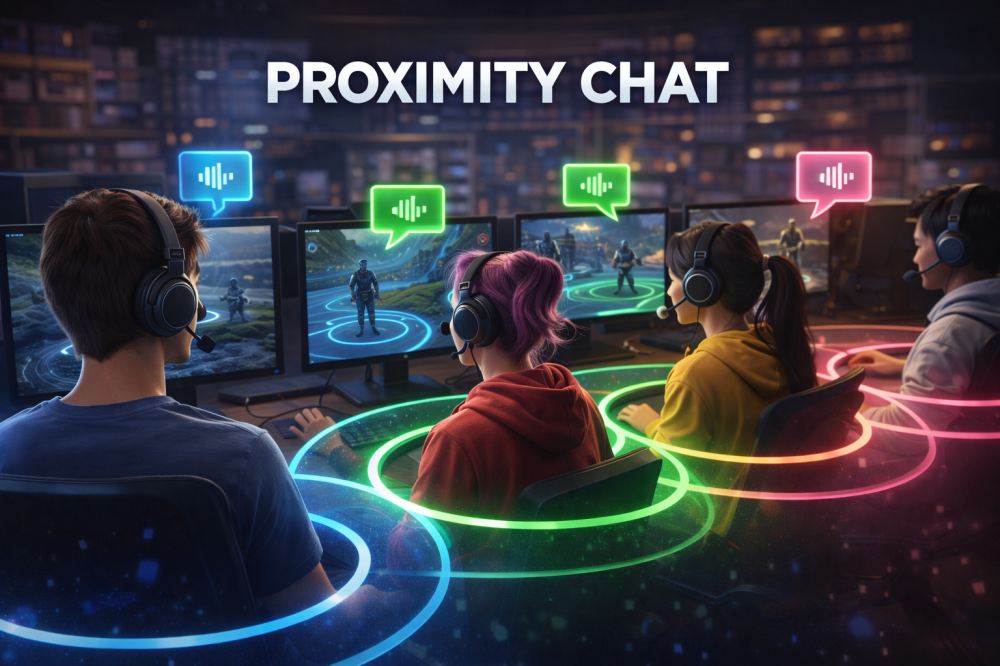
The demand for location-based social experiences is growing, and proximity chat perfectly addresses those needs. It simply removes all barriers and allows users to instantly engage with those around them. Thus, to discover like-minded individuals and participate in community-driven experiences, you’ll need to read the guide thoroughly. By the end, you’ll surely know the complete technical architecture behind proximity chat and the challenges it brings.
What is Proximity Chat?
An answer to what proximity chat means is simply that it’s a way of talking online where you only hear people nearby. Just like real life, voices sound louder and clearer when another player or person is close. However, the voice becomes quieter or inaudible when they move farther away, making it feel more natural and less noisy.
This way of talking is often used in multiplayer games and virtual worlds, where small groups can chat and play. Additionally, it makes games more immersive or scarier because if your friend’s character runs off, their voice fades out. They can lead to funny, random moments when you bump into strangers and briefly talk as your characters cross paths.
How Does Proximity Chat Work?
We’ve provided a simple workflow for a clear explanation of how proximity-based communication is initiated:
1. Track Where Each Player Is
Proximity chat constantly watches where every player or user is in the game or virtual world, using simple position values. As you move your character around, the system keeps updating your position in real time. Thus, the chat system uses this location data to determine which players can hear each other at any moment.
2. Changes Volume Based on Location
Now, the system measures how far you are from other players and adjusts their volume accordingly. If someone is very close, you hear them at full volume; as they walk away, their voice slowly gets quieter. However, developers can specify the minimum and maximum distances and how smoothly the sound fades between them.
3. Uses 3D and Directional Sound
This chat system also uses 3D, or “spatial,” audio, so voices appear to come from the correct direction in your headphones. For example, if a teammate’s character is on your right, you hear them mostly in your right ear. Furthermore, the game engines and audio libraries handle this effect, helping you navigate where other players are.
4. Sends Voices Only to Nearby Players
When you speak, your microphone audio is broken into small packets and sent over the internet. The server then forwards those packets only to nearby players, keeping large lobbies quieter. However, some systems also add noise suppression and echo cancellation, so your proximity voice chat stays clear even in loud environments.
5. Manages Groups, Rooms, and Privacy
Many proximity voice communication systems also manage who can talk to whom by using groups or channels in addition to distance rules. For example, friends at a party can always hear each other a bit better or stay connected even if they separate. Moreover, developers can add mute, block, and reporting options to help players protect themselves from harassment.
Technical Architecture Behind Proximity Chat
As the popularity of proximity chat games continues to grow, developers need a strong backend system to support location-based communication. Therefore, a brief concept of technical architecture is given to demonstrate how these games manage device discovery and data exchange:
| Layer/Component | Role in Proximity Chat |
|---|---|
| Client Game/App | Runs on the player’s device, captures mic audio, and tracks the player’s position |
| Position Tracking | Sends frequent position updates (X, Y, Z) to the server |
| Proximity Logic | Uses the distance between players to decide who can hear whom and the volume |
| Voice Capture/Codec | Records voice, compresses it into small low‑latency packets, and decodes others’ voices |
| Voice Server (SFU) | Receives voice packets from clients and forwards them to nearby players |
| 3D Audio Engine | Applies spatial/3D sound so you hear voices from the correct direction |
| Network Transport | Uses low-latency protocols to move voice and position data |
Proximity Chat Use Cases
The following use cases highlight how proximity chat is applied to real-time user experience:
1. Multiplayer Games
Currently, proximity voice communication is widely used in multiplayer games such as open-world, battle royale, and role-playing titles. Players can talk to teammates or nearby players without broadcasting their voice to the whole server. According to TheGamer discussion, proximity voice is now considered one of the standout features that make multiplayer games feel more social.
2. Virtual Events and Online Conferences
Virtual event platforms use proximity chat to let people form small conversation groups by moving their avatars closer together. This mimics real‑life networking at conferences or parties, where you walk over to join a group and hear people nearby. Furthermore, it makes large online events feel like an expo floor with many separate chats happening at once.
3. Remote Work and Virtual Offices
Some remote‑work tools and virtual office apps use proximity voice chat so coworkers can bump into each other. If your avatar sits next to a teammate’s avatar, you can talk easily, making the online workspace feel like a real office. Additionally, it helps teams make connections as they can move around, join groups, and leave conversations.
4. Online Education and Virtual Classrooms
Schools and training platforms use this voice communication model to let students break into small groups inside a shared virtual classroom. Students can move closer to classmates to discuss homework, while others talk in the same way without disturbance. Moreover, teachers can walk around the virtual room, listen to groups, and join conversations just like in a real class.
5. Social Hangouts and Community Apps
Social apps and “metaverse” spaces use proximity chat for casual hangouts with friends or people nearby. Here, you can wander around a virtual room or a city space and naturally join conversations just by walking up to others. In addition, users can meet new people, have short conversations, or low-pressure chats as they pass different groups.
Benefits of Proximity Chat
To fully appreciate its impact, it’s important to understand what proximity chat is and how it changes the way users interact. With this perspective, now explore the benefits that make proximity chat seamless for location-based conversations:
- More Realistic and Immersive: Proximity chat makes virtual worlds feel more real because voices behave as they do in real life. This increased realism helps attendees feel “inside” the virtual room, rather than just sitting on a normal voice call.
- Natural, Spontaneous Conversations: Just because you only hear people near you, conversations start and stop as you move around. Moreover, it leads to random or meaningful chats with nearby people instead of everything being locked into fixed voice channels.
- Better Teamwork and Strategy: These chats let teammates coordinate quietly when they are close, without giving away information to far-off players. Thus, it adds a new layer of strategy and planning that is not possible with global voice chat.
- Less Noise in Crowded Spaces: Such chats reduce chaos in busy lobbies, events, or classrooms because you don’t hear everyone at once. Only nearby people are audible, allowing multiple groups to talk simultaneously without interfering with each other.
- Control and Safety Conversations: If a conversation becomes uncomfortable, you can simply walk your character away until the voice fades out. However, many systems include mute, block, and reporting tools, making it easier to manage bad behaviors.
Challenges of Proximity Chat
Although proximity chat offers exciting possibilities, it often comes with different obstacles that developers must navigate. Thus, review these challenges that need to be addressed promptly for a secure user experience:
- Toxicity and Harassment: As people communicate with strangers in real time, proximity chat can easily be used to bully or harass.
- Harder Voice Moderation: Voice is much harder to moderate than text, and such chats make this more complex because many conversations happen simultaneously.
- Performance and Complexity: This proximity chat system constantly tracks positions and routes audio for nearby people, adding extra work on servers.
- Competitive and Design Issues: In some games, proximity chat can be abused to share information with enemies that designers might not notice.
- Safety, Privacy, and Compliance: Developers must consider privacy and legal issues when handling voice data, especially when recording audio for moderation.
- Can Be Noisy or Overwhelming: At times, many people might be talking at once within a given radius, which can feel loud and disruptive.
How to Build Proximity Chat with ZEGOCLOUD
You can build a proximity chat system with ZEGOCLOUD by using its real-time Voice Call SDK to handle live audio communication. Players can join a room, publish their microphone stream, and receive audio from other users in the same space.
To simulate proximity voice communication, developers can add simple distance-based logic that dynamically adjusts voice volume depending on how close players are to each other. ZEGOCLOUD also supports Spatial Audio, which helps create a more immersive experience by positioning voices in a 3D audio space.
In addition, features like AI noise suppression and intelligent voice processing help remove background noise and keep only human voices during gameplay. With support for 48kHz high-fidelity audio and over 20 pre-built UIKits, developers can quickly integrate proximity chat into games, social apps, or metaverse platforms.
Future Trend of Proximity Chat
It is noticed that proximity voice chat is expected to become a standard feature across many games and metaverse platforms. Moreover, newer platforms already treat proximity voice as a “core mechanic” for social presence. According to DiMarket analysis, the spatial audio market is rapidly expanding and expected to reach 15 billion USD by 2030. Looking ahead, proximity chat will likely blend with AI voice and smarter moderation with better protection.
Beyond gaming, proximity voice communication is also growing with virtual events, where users communicate naturally as they move their avatars through shared digital spaces. As Market Intelo states, the metaverse market will reach 678.8 billion USD by 2030, all needing proximity-based voice. Thus, these numbers suggest that over the next decade, proximity chat will move from “nice extra” to common expectation. With full knowledge of what proximity chat is, users will normally hear nearby people.
Conclusion
In summary, proximity chat has completely changed the way people connect and enables real-time, immediate, and contextually relevant interaction. From social networking and local communities to gaming and event-based communications, its applications continue to grow, making interactions more personal. For developers seeking a similar strategic application, use ZEGOCLOUD’s ready-made UI components to build a feature-rich communication experience.
FAQ
Q1: What is proximity chat?
Proximity chat is a voice communication system where players can only hear others who are physically close to them in a virtual environment. The closer two users are in the game or virtual space, the louder their voices become.
Q2: How does proximity chat work?
Proximity chat works by combining real-time voice communication with distance-based logic. The system calculates the distance between players and dynamically adjusts voice volume or spatial positioning based on how close they are.
Q3: Is proximity chat only used in games?
No. Although proximity chat is most common in multiplayer games, it can also be used in virtual events, social platforms, metaverse environments, and virtual collaboration spaces where location-based voice interaction improves realism.
Let’s Build APP Together
Start building with real-time video, voice & chat SDK for apps today!
