










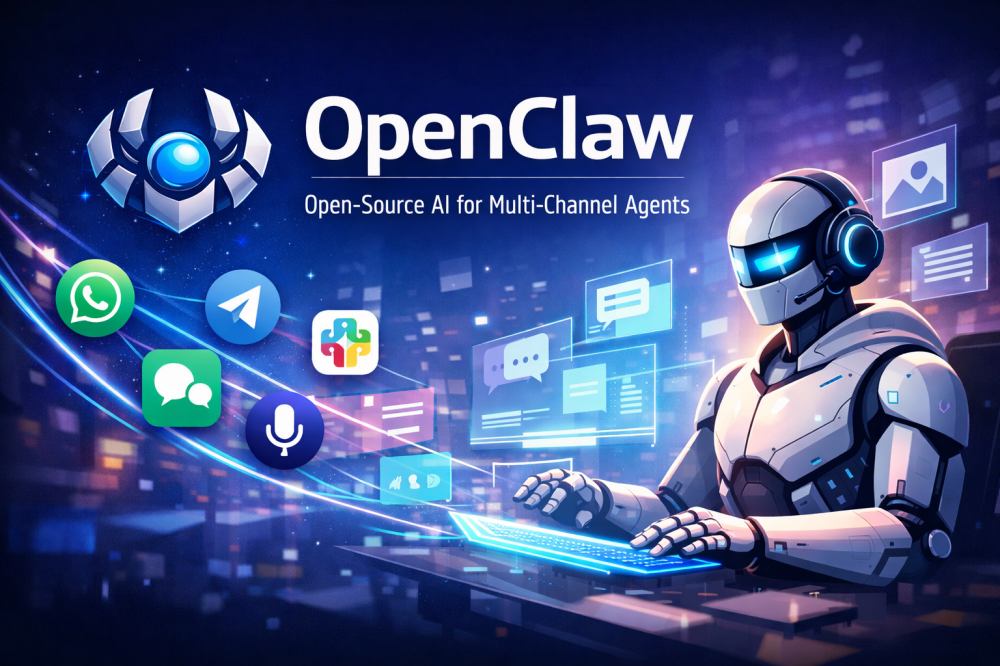
OpenClaw is getting attention because it sits at the center of several fast-moving trends, including agentic AI, multimodal interaction, self-hosted tooling, and multi-channel delivery. That timing matters. McKinsey found that 78% of respondents said their organizations used AI in at least one business function in 2024, while 71% said they regularly used generative AI in at least one function. Gartner has also predicted that 40% of generative AI solutions will be multimodal by 2027, up from 1% in 2023. Together, those signals point to a market that is moving beyond single-window chatbots toward AI systems that can work across channels and support richer forms of interaction.
For developers, that shift changes what it means to build an AI product. It is no longer only about model selection and prompt design. More teams now need to think about orchestration, tool use, memory, delivery surfaces, and the overall user experience around those pieces. That is one reason OpenClaw has become interesting. It packages many of those concerns into one open-source, self-hosted system that is designed to run closer to real workflows.
What is OpenClaw?
OpenClaw describes itself as a personal AI assistant that runs on your own devices. In its public GitHub materials, the project says the assistant can answer on channels people already use, including WhatsApp, Telegram, Slack, Discord, Google Chat, Signal, iMessage, Microsoft Teams, Matrix, and Feishu. The same description also notes that it can speak and listen on macOS, iOS, and Android, and render a live Canvas interface.
That positioning matters because OpenClaw is not just another browser-based chatbot UI. It is better understood as an agent gateway and runtime layer that helps developers build assistants that stay available across messaging surfaces, call tools, use memory, and remain under local control. OpenClaw frames the Gateway as the control plane rather than the product itself, which means the real product is the assistant that appears inside the user’s existing environments.
Key Features of OpenClaw
OpenClaw stands out because it brings together several capabilities that developers often need to assemble from multiple tools.
- Media and speech support
OpenClaw is not limited to text. It also supports images, audio, documents, speaking, listening, and Canvas-driven visual interaction, making it more suitable for multimodal assistant experiences. - Multi-channel delivery
OpenClaw’s Gateway can connect multiple chat apps and serve them from one running process, allowing a single assistant to exist across several environments instead of being limited to one interface. - Extensibility
Its plugin architecture supports channels, providers, tools, skills, speech, image generation, and other capabilities, giving developers a modular way to extend the system. - Memory and workspace control
OpenClaw stores memory as plain Markdown in the agent workspace, with files on disk acting as the source of truth. This makes the assistant’s state easier to inspect, debug, and manage.
How Does OpenClaw Work?
OpenClaw runs locally on your device, which gives developers more control over how the assistant is configured and used. It can work with different AI models, maintain memory across conversations, and operate through chat channels such as Slack, Discord, iMessage, WhatsApp, and other supported platforms.
What makes OpenClaw more than a standard chatbot is its ability to go beyond simple prompting. Depending on how it is configured, it can use tools, work with files, interact with workspace data, and support more advanced assistant workflows. This makes it closer to a working AI environment than a single chat interface.
At the same time, that flexibility also means developers need to think carefully about permissions, plugins, and local access. OpenClaw can be powerful, but how it behaves depends heavily on how it is set up and what level of control it is given.
How to Install OpenClaw and Get Started
OpenClaw provides a relatively simple quick-start flow for developers who want to test it locally. In general, the process includes installing the CLI, running the onboarding wizard, and launching the Gateway so the assistant can start working across supported clients and channels. For developers already comfortable with local tools and self-hosted services, setup is fairly straightforward.
That said, because OpenClaw is a powerful self-hosted system with known security considerations, it makes sense to treat local installation as an evaluation step rather than a production deployment path. The goal at this stage is usually to confirm that the assistant can run, respond correctly, and connect to the channels or tools you want to test.
Step 1: Check your environment
Before installing OpenClaw, make sure your environment meets the minimum requirements. For example, the official quick-start materials note that Node 22+ is required.
node --versionStep 2: Install the OpenClaw CLI
You can then install the CLI using the quick-start command provided in the official setup guide.
macOS/Linux
curl -fsSL https://openclaw.ai/install.sh | bashWindows (PowerShell)
iwr -useb https://openclaw.ai/install.ps1 | iexStep 3: Run the onboarding wizard
Once the CLI is installed, the next step is to run the onboarding flow. This helps initialize the local setup and prepare the environment for Gateway usage.
openclaw onboard --install-daemonStep 4: Verify the assistant is running
After onboarding, developers can confirm that OpenClaw is running correctly and begin testing the assistant through the available interface or connected client. At this stage, the main goal is not full production rollout. It is simple to verify that the assistant can launch, respond to input, and operate in the local environment.
Step 5: Expand the setup based on your use case
From there, setup becomes more use-case specific. Some developers may start by connecting a messaging channel such as Slack or Telegram, while others may focus on plugins, workspace memory, or provider configuration. That flexibility is part of OpenClaw’s appeal. It allows teams to begin with a simple local setup and expand gradually as their assistant becomes more capable.
What Can OpenClaw Do for Developers?
For developers, OpenClaw makes experimentation much easier. Its getting-started guide shows that teams can install OpenClaw, complete onboarding, and start chatting with the assistant in about five minutes, with a running Gateway and configured auth. That lowers the barrier to testing ideas without building every layer from scratch.
It also supports a more realistic way to prototype AI assistants. Rather than keeping everything inside one web interface, OpenClaw makes it easier to test assistants across real communication channels while giving developers better visibility into memory, tools, plugins, and workspace behavior. That combination makes it useful for both fast experimentation and more system-level product thinking.
Common Use Cases
OpenClaw is flexible enough to support several different products and workflow directions.
1. Personal productivity assistant
One obvious use case is the personal productivity assistant. OpenClaw’s own site positions the product around the idea of a personal AI assistant that works across the channels and devices the user already relies on. That makes it a natural fit for tasks such as managing communications, handling lightweight workflows, and reducing repetitive work inside everyday tools.
2. Multi-channel internal assistant
Another use case is the multi-channel internal assistant. Because OpenClaw can connect to collaboration tools such as Slack, Discord, Teams, and Feishu, it can support internal engineering, operations, support, or workflow automation use cases. Instead of forcing users into one AI destination, it allows the assistant to exist inside the communication channels where collaboration is already happening.
3. Voice-enabled assistant
A third use case is the voice-enabled assistant. OpenClaw’s support for speaking and listening extends the design space beyond text workflows. That makes it relevant for developers who want to explore more natural user interaction or build assistant experiences that feel less like static chat and more like interactive products.
4. Experimental platform for agent development
OpenClaw also works well as an experimental platform for developers. Because it combines plugins, tools, memory, channels, and workspace-based instructions, it gives teams a flexible environment for testing custom workflows, new delivery patterns, and lightweight agent frameworks without starting from zero.
Is OpenClaw Secure?
Security deserves close attention. OpenClaw is powerful because it can connect to messaging channels, store sessions and credentials, load plugins, use workspaces, and act on behalf of the user. Those same strengths also expand the trust surface. A simple chat interface has fewer moving parts. OpenClaw has many. Developers should treat that as a product design reality, not a footnote.
A known vulnerability
This concern is not theoretical. One example is CVE-2026-25253, a vulnerability listed by the National Vulnerability Database for OpenClaw versions before 2026.1.29. The published description says OpenClaw obtained a gatewayUrl value from a query string and automatically made a WebSocket connection without prompting, sending a token value. NVD lists 2026.1.29 as the patched version.
Security researchers also highlighted the practical risk. runZero described the issue as allowing a remote unauthenticated attacker to achieve one-click remote code execution through authentication token exfiltration exposed through a WebSocket, with the potential for complete system compromise. That is a strong reminder that local-first or self-hosted software is not automatically secure.
Plugin-related risk
Plugins are another important part of the risk picture. OpenClaw’s own plugin docs state that native plugins run in process with the Gateway, are not sandboxed, and share the same process-level trust boundary as core code. The docs also note that a malicious native plugin is equivalent to arbitrary code execution inside the OpenClaw process.
What OpenClaw Signals for the Future of AI Agents
OpenClaw is useful not only because of what it does today, but also because of what it reveals about where agent design is heading. First, it reinforces that AI agents are moving beyond isolated chat windows and into the channels people already use. Second, it shows that orchestration and delivery are becoming as important as model quality. Third, it highlights that memory, tools, and interface surfaces now belong in the same product conversation.
The broader market data support that interpretation. McKinsey’s research shows AI use expanding across organizations and functions, while Gartner expects multimodal generative AI to grow sharply and predicts that 33% of enterprise software applications will include agentic AI by 2028. At the same time, Gartner also warns that over 40% of agentic AI projects may be canceled by the end of 2027 because of cost, unclear value, or weak risk controls. That combination tells a clear story: demand is real, but architecture, governance, and execution still matter.
Final Thoughts
OpenClaw is worth paying attention to because it represents more than a popular open-source project. It reflects a broader shift in how developers think about AI assistants. These systems are no longer just isolated chatbots. They are becoming persistent, tool-using assistants that live across channels, carry memory, and fit more closely into real workflows. That is why OpenClaw has attracted so much developer interest.
At the same time, developers should evaluate it with clear eyes. OpenClaw is compelling because it is flexible and close to real usage patterns. It is also demanding because it introduces real architecture, operational, and security responsibilities. As AI assistants move beyond text and toward richer interaction, some teams may also need stronger real-time communication capabilities alongside orchestration. In those cases, platforms like ZEGOCLOUD can support the real-time voice, video, and live interaction layer behind the broader assistant experience.
FAQ
Q1: What do people use OpenClaw for?
OpenClaw is mainly used to build personal or workflow-focused AI assistants that can operate across existing chat channels such as Slack, Discord, Telegram, WhatsApp, and iMessage. Its official materials position it around tasks like clearing inboxes, sending emails, managing calendars, and supporting always-available assistants that work across messaging surfaces.
Q2: How much does OpenClaw cost?
OpenClaw itself is open source and generally free to run, but usage costs can still come from the model and API providers you connect to it. OpenClaw’s docs explain that costs are tied to provider usage, API calls, and model token pricing, and cost estimates are shown only when pricing is configured for the connected model.
Q3: What is OpenClaw Gateway?
The OpenClaw Gateway is the core control plane of the system. Official docs describe it as a single Gateway process that connects your chat apps, clients, nodes, and assistant runtime over WebSocket, acting as the bridge between messaging channels and an always-available AI assistant.
Q4: What is the OpenClaw summary?
In simple terms, OpenClaw is a self-hosted personal AI assistant platform that runs on your own machine or server, connects to the chat apps you already use, works with different AI models, and supports memory, tools, and multi-channel interaction. It is designed for developers and power users who want more control over how their assistant is deployed and used.
Let’s Build APP Together
Start building with real-time video, voice & chat SDK for apps today!
