





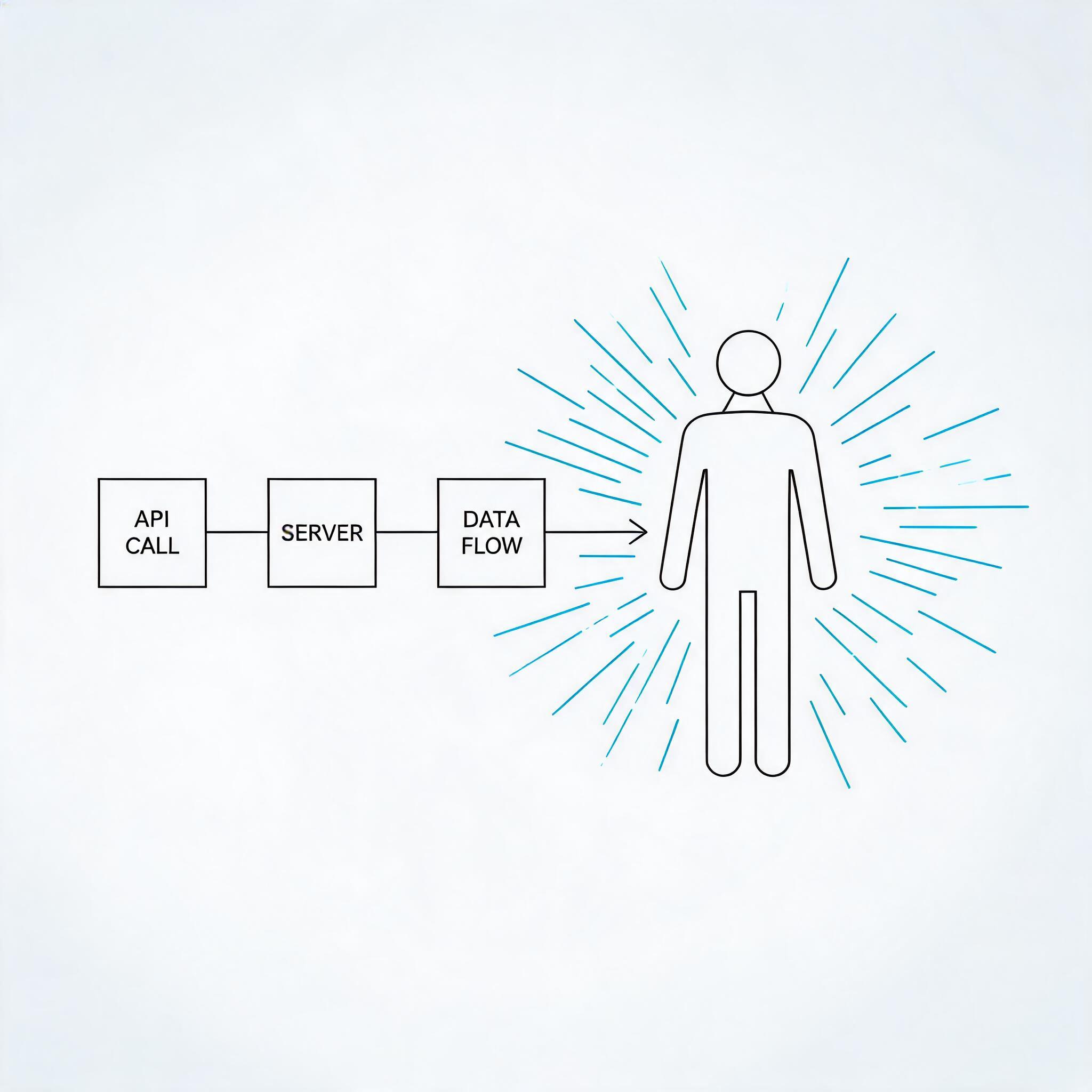
A live digital human agent is a server-created avatar that publishes its own video and audio stream — either into a ZEGOCLOUD RTC room or to a CDN push destination — and speaks whatever text your backend tells it to speak. You create it with one HTTP call, you drive it with another, and you remove it with a third. There is no studio UI in the loop and no avatar SDK on the web client.
This walkthrough is written for the developer who already has a ZEGOCLOUD project and now needs the concrete server-side flow: which API creates the instance, what the request and response bodies actually contain, how the avatar stream reaches the viewer, and which control APIs let you interrupt or redirect the agent mid-session.
The answer up front
- Which API starts a live digital human agent?
CreateLiveDigitalHumanAgentInstance, a POST request to the AI Agent server API. It was introduced in the AI Agent V2 release dated 2026-07-24, which added the “broadcast digital human” instance type. - What does it return?
AgentInstanceIdplus a base64DigitalHumanConfig. Keep the instance ID — every control and teardown call needs it. - Where does the avatar appear? In RTC mode the digital human logs into your room as a normal publisher, so the client plays it like any other stream. In CDN mode the same instance is pushed to a CDN streaming destination you supply, which is how the video reaches third-party platforms.
- How do I control it?
SendAgentInstanceTTSmakes the avatar speak,SendAgentInstanceLLMruns a full LLM turn, andInterruptAgentInstancecuts the current speech. All three are server APIs and all three are also reachable from the client through Express SDK room signaling.
Understand the product model before you write code
ZEGOCLOUD splits AI Agent into two objects. An agent is a registered configuration template: LLM endpoint, TTS vendor and credentials, ASR vendor and credentials, system prompt. You register it once with Register Agent, and it stays in your account as a reusable blueprint.
An agent instance is a running copy of that blueprint. Instances are the things that occupy RTC rooms, consume concurrency, and get deleted. You create as many instances from one agent as your account limit allows.
There are three instance-creation APIs, and choosing the right one is the first real decision in the integration:
| Instance type | Creation API | Interaction | Client captures user audio? |
|---|---|---|---|
| Voice agent | CreateAgentInstance |
Two-way voice | Yes |
| Digital human video call | CreateDigitalHumanAgentInstance |
Two-way video | Yes |
| Live (broadcast) digital human | CreateLiveDigitalHumanAgentInstance |
One-way viewing | No |
The live variant is the only one built for one-way viewing. Viewers log into the RTC room and play the digital human stream; they never publish their own audio or video, and the agent never pulls a user stream. Everything the avatar says originates from your server. That single architectural difference is what makes the live variant suitable for scripted broadcasting, news reading, event hosting, and multi-platform simulcast — and what makes it unsuitable for a two-way support conversation, which is the job of CreateDigitalHumanAgentInstance.
A second axis matters just as much: the live instance can publish in two directions. Pass an RTC object and the avatar joins your room. Pass a CDN object and the avatar is pushed to a third-party platform such as Facebook or TikTok. The two are mutually exclusive, and if you send both, CDN wins — a behavior worth knowing before you debug a room that stays empty.
Prerequisites and request signing
Before the first API call you need three things in place:
- A ZEGOCLOUD project with a valid AppID and ServerSecret from the ZEGOCLOUD Console. The ServerSecret is used both for server API signatures and for generating the Token04 that clients use to log into RTC rooms.
- The AI Agent service enabled on the project. This is done through ZEGOCLOUD Technical Support, and it is also where you obtain the LLM and TTS configuration details you will register in the agent.
- A valid
digital_human_id. ZEGOCLOUD publishes a public test ID,63c3aa64-1d80-4b04-a0be-1c65614eb7eb, that you can use while integrating.
Every server API request carries the same five common parameters, and every request needs a freshly generated signature. The algorithm is a plain MD5 over four concatenated values:
Signature = md5(AppId + SignatureNonce + ServerSecret + Timestamp)
SignatureNonce— a 16-character hex string, i.e. the hex encoding of 8 random bytes.Timestamp— the current Unix timestamp in seconds. ZEGOCLOUD tolerates a maximum error of 10 minutes.SignatureVersion—2.0.
The signature is a 32-character lowercase hex string. Two failure codes tell you when it went wrong: 100000004 for an expired signature and 100000005 for an invalid one. Because the signature covers the timestamp, a request that was queued or retried too late will fail this way rather than with a business error.
Send requests over HTTPS to the domain closest to your backend. ZEGOCLOUD exposes regional endpoints and warns that you should prioritize the one in your server’s region:
| Region | Base URL |
|---|---|
| Chinese Mainland (Shanghai) | https://aigc-aiagent-api-sha.zegotech.cn |
| Hong Kong | https://aigc-aiagent-api-hkg.zegotech.cn |
| Europe (Frankfurt) | https://aigc-aiagent-api-fra.zegotech.cn |
| Western United States (California) | https://aigc-aiagent-api-lax.zegotech.cn |
| Asia-Pacific (Mumbai) | https://aigc-aiagent-api-bom.zegotech.cn |
| Southeast Asia (Singapore) | https://aigc-aiagent-api-sgp.zegotech.cn |
| Unified | https://aigc-aiagent-api.zegotech.cn |
Unless a specific interface says otherwise, all primary call interfaces are rate limited to 10 requests per second. Every response uses the same envelope — Code, Message, RequestId, and Data — and Code: 0 means success. See Accessing Server APIs for the full signing sample code.
The integration flow, end to end
Five steps take you from an empty project to a viewer watching a talking avatar. Step 1 is one-time backend work; steps 2 through 5 run once per broadcast session.
Step 1 — Register the agent (LLM, TTS, ASR)
Registration is the same call you would make for a voice agent or a video-call digital human. The live variant reuses the identical configuration model, so an agent you already registered for voice conversations can be reused as-is. There is no separate “live” agent type to register.
Register Agent takes an AgentId (max 128 characters), a display Name, and the service blocks. The LLM block needs a Url pointing at an OpenAI-compatible endpoint, an ApiKey, and a Model; SystemPrompt shapes the persona, and Temperature (0–2, default 0.7) and TopP (0–1, default 0.9) tune sampling. The TTS block takes a Vendor from Aliyun, ByteDanceV3, ByteDanceFlowing, MiniMax, or CosyVoice, plus an app object for vendor authentication and the vendor’s own parameters.
For the live broadcast use case, the TTS block is the one that matters most. A broadcast digital human is driven entirely by text you send to TTS, so if the TTS credentials are wrong you will get a successfully created instance that never speaks. Two tips: register the agent once and reuse it, since re-registering the same AgentId returns error 410001008; and during the test period (within two weeks of enabling the AI Agent service) you can set the LLM and TTS authentication parameters to zego_test and use the constrained set of models ZEGOCLOUD provides for evaluation.
ASR is configured in the same registration call, even though the live variant does not consume user audio. Keeping the block valid costs nothing and lets you later switch the same agent to the two-way CreateDigitalHumanAgentInstance path without re-registering.
Step 2 — Create the live digital human instance
This is the call the article is about. CreateLiveDigitalHumanAgentInstance is a POST to ?Action=CreateLiveDigitalHumanAgentInstance on your regional base URL, with the five common parameters in the query string and the business payload in the JSON body.
The body has one required top-level field, AgentId, and one required object, DigitalHuman. Everything else is optional but usually necessary.
| Field | Required | Notes |
|---|---|---|
AgentId |
Yes | The agent registered in step 1. |
DigitalHuman |
Yes | Avatar selection and rendering format. |
DigitalHuman.DigitalHumanId |
Yes | The avatar ID. |
DigitalHuman.ConfigId |
No | mobile or web. Determines which client SDK consumes the config. |
DigitalHuman.EncodeCode |
No | Only H264, which is also the default. |
RTC |
Conditional | Room, agent stream ID, and agent user ID. Required for the RTC delivery path. |
CDN |
Conditional | Url for the push destination. Required for the CDN delivery path. |
TTS |
No | Per-instance TTS vendor, URL, and params; overrides the agent default. |
CallbackConfig |
No | Enables the Interrupted and AgentInstanceStatus callbacks. |
AdvancedConfig |
No | MaxIdleTime, DisableTTS, TTSParamPaths. |
The RTC object for a live instance has three fields, all limited to numbers, English characters, _, -, and .: RoomId and AgentStreamId (each up to 128 characters) and AgentUserId (up to 32 characters). Note what is absent compared to the two-way variants: UserStreamId is not required, and there is no top-level UserId. A live instance is never told whose audio to pull, because it never pulls any.
Two uniqueness rules will bite you in production if you do not design for them now. Concurrently running instances must use different AgentStreamId values, or the later instance fails to stream — and this applies even when the instances are in different rooms. They must also use different AgentUserId values, or the earlier instance is kicked out of its room. Derive both from your own session or broadcast ID rather than hardcoding them.
A minimal RTC-mode request body looks like this:
{
  "AgentId": "my-broadcast-agent",
  "RTC": {
    "RoomId": "news_room_01",
    "AgentStreamId": "news_room_01_avatar",
    "AgentUserId": "avatar_01"
  },
  "DigitalHuman": {
    "DigitalHumanId": "63c3aa64-1d80-4b04-a0be-1c65614eb7eb",
    "ConfigId": "web",
    "EncodeCode": "H264"
  }
}
Swapping the RTC object for a CDN object — a single Url for the push destination — moves the same avatar to a third-party platform. Remember the precedence rule: if both objects are present, CDN is used and the room is ignored.
The response is small, and it is the only place the instance identity comes from:
{
  "Code": 0,
  "Message": "Success",
  "RequestId": "8825223157230377926",
  "Data": {
    "AgentInstanceId": "1912122918452641792",
    "DigitalHumanConfig": "eyJEaWdpdGFsSHVtYW5JZCI6..."
  }
}
AgentInstanceId is the handle for every later control and teardown call — store it against the session. DigitalHumanConfig is a base64 blob consumed by the digital human SDK on Android and iOS; the web client does not need it.
One documentation nuance is worth flagging before you write your response wrapper. The API reference schema for this call lists only AgentInstanceId and DigitalHumanConfig, but the official quick start’s backend example reads AgentStreamId and AgentUserId off the same response and forwards them to the client. Those two values are also the ones you supplied in the request, so a defensive wrapper can fall back to its own request values if the fields are absent.
Two limits apply here. By default an account may hold at most 10 digital human agent instances at once, and creation fails beyond that; raising the ceiling requires contacting ZEGOCLOUD Technical Support. Callback URLs are also constrained: CallbackConfig.HostTag accepts up to two callback destinations, and the tag value must be pre-configured by support before you can use it.
Step 3 — Get the viewer into the RTC room
Your backend generates a Token04 for the viewer using the AppID and ServerSecret, and the client logs into the room with it. In the RTC path the client does exactly one thing in that room: play the digital human’s stream. It does not publish. This is the practical difference from a video call integration, where the client must capture and publish the caller’s microphone and camera.
Generate the token server-side and hand it to the client — never ship the ServerSecret to a browser or app. A typical endpoint is a simple GET /api/zego-token?user_id=... returning { "code": 0, "token": "..." }.
Step 4 — Play the avatar stream
How you render the avatar depends on the platform, and this is where the live variant is simpler than the video-call variant:
- Web: no digital human SDK and no custom rendering. Use the ZEGO Express SDK directly to play the digital human’s video stream.
- Android and iOS: pass the raw video frames and SEI data from the Express SDK into the digital human SDK, which renders the avatar. Custom video rendering must be enabled before you call
startPlayingStream.
On the web, subscribe to the stream update callback and filter for the stream ID your server returned, then start playback:
zg.on("roomStreamUpdate", async (roomID, updateType, streamList) => {
  if (updateType !== "ADD") return;
  for (const stream of streamList) {
    if (stream.streamID !== agentStreamId) continue;
    const mediaStream = await zg.startPlayingStream(stream.streamID);
    remoteView = await zg.createRemoteStreamView(mediaStream);
    remoteView?.playAudio();
    break;
  }
});

zg.on("remoteCameraStatusUpdate", (streamID, status) => {
  if (streamID === agentStreamId && status === "OPEN") {
    remoteView?.playVideo("remoteStreamView");
  }
});
Playback timing differs slightly by platform: Android can start playing immediately after the create-instance call succeeds, while iOS and web should wait for the room stream update and match the target stream ID. The remoteCameraStatusUpdate gate matters because the digital human video stream is published by the server — OPEN is the signal that video frames are actually available.
If you chose the CDN delivery path instead, none of the above applies to the viewer. There is no room to join and no digital human SDK to integrate: the client plays the CDN URL your backend received using any HLS/FLV-capable player, such as hls.js or video.js on the web. That is the trade-off the CDN path buys — broad reach for a large audience, in exchange for higher latency than an RTC room.
Step 5 — Drive and interrupt the avatar
Once the instance is live, the agent instance control APIs are your entire remote control. They are the same APIs used by two-way agents, which is convenient: control logic you wrote for a voice agent carries over unchanged.
| API | What it does | Key parameters |
|---|---|---|
| SendAgentInstanceTTS | Makes the avatar speak the given text as the agent. The primary driver in a broadcast. | Text (max 300 chars), AddHistory, Priority, SamePriorityOption |
| SendAgentInstanceLLM | Runs a full LLM turn as if the user had spoken, then speaks the reply. | Text, SystemPrompt (temporary override), AddQuestionToHistory, AddAnswerToHistory |
| InterruptAgentInstance | Stops the current speech round immediately. | AgentInstanceId only |
| QueryAgentInstanceStatus | Reads the current state. | AgentInstanceId; returns IDLE, LISTENING, THINKING, or SPEAKING |
| StartListening / StopListening | Opens or closes a listening window on the agent. | Used with interaction modes; StopListening takes AgentInstanceId with optional UserId and an incrementing Sequence |
| DeleteAgentInstance | Ends the session and removes the instance. | AgentInstanceId, GracefulShutdown, GracefulShutdownTimeout |
SendAgentInstanceTTS returns a Round value in its response data. The round is an ascending, non-repeating identifier for the interaction, and the same concept appears across agent callbacks, so it is the reliable way to correlate a TTS request with the callbacks it produces.
Two behaviors of SendAgentInstanceTTS deserve attention before you build a queue. Priority accepts Low, Medium (default), or High, and SamePriorityOption accepts ClearAndInterrupt (default) or Enqueue — with the enqueue queue capped at five items. The older InterruptMode parameter is deprecated and should not be used in new code; the documented replacements are Priority=Medium with SamePriorityOption=ClearAndInterrupt for immediate interruption and Priority=High with ClearAndInterrupt for “finish the current sentence first.”
The control APIs are also callable directly from a client through Express SDK room signaling, without a server round trip. ZEGOCLOUD added this for low-latency control, and it covers TTS, LLM, interrupt, and start/stop listening. For a scripted broadcast, however, keeping control server-side is usually the better default: the server already owns the script, and a server-driven design means a viewer cannot inject speech into the avatar.
Ending the session cleanly
Two mechanisms end a live broadcast. The first is explicit: call DeleteAgentInstance with the instance ID, and the digital human leaves the room and stops publishing. If you need the avatar to finish its current sentence, set GracefulShutdown to true; the instance then waits until it reaches the IDLE state, up to GracefulShutdownTimeout seconds (1–120, default 30), after which it is shut down regardless.
The second is automatic. AdvancedConfig.MaxIdleTime sets how long the instance may go without being driven by SendAgentInstanceTTS before the task ends by itself. The default is 900 seconds and the configurable range is 30 to 86400 seconds. For a long-running channel you will want to raise it; for a test instance you can lower it so abandoned sessions clean themselves up.
One related flag is worth understanding early: AdvancedConfig.DisableTTS. If it is set to true, the instance performs no speech synthesis at all — and both the create call and SendAgentInstanceTTS return errors. Treat it as a diagnostic or billing-control switch, not a runtime toggle.
Putting it together: a scripted support broadcast
Consider a team that runs a scheduled product-support broadcast. A host is on camera, and whenever the queue of viewer questions grows, a digital human “co-host” reads out an answer while the human host handles the next question. The backend owns the whole loop.
- One-time: register an agent with a system prompt tuned for concise, spoken answers and a TTS voice that matches the brand.
- On show start: create the RTC room, generate a Token04 for each viewer, and call
CreateLiveDigitalHumanAgentInstancewith a room ID and an agent stream ID derived from the show ID. Store the returnedAgentInstanceId. - Viewers join: each client logs into the room and plays the stream whose ID matches
AgentStreamId. No microphone permission, no publish call, no avatar SDK on web. - Per answer: when a question is routed to the co-host, the backend calls
SendAgentInstanceTTSwith the answer text, orSendAgentInstanceLLMwith the raw question so the LLM composes the reply in the agent’s persona. Track the returnedRound. - When the host takes over: call
InterruptAgentInstanceto cut the avatar off mid-sentence and hand the audio back to the human host. - On show end: call
DeleteAgentInstancewithGracefulShutdownenabled so the avatar finishes its last line, then let viewers exit the room.
The same architecture serves other one-way scenarios with almost no changes: a news ticker avatar reading headlines, an event host announcing session changes, or a single avatar instance simulcast to a CDN destination for a third-party platform. In the CDN case the client-side playback step disappears entirely — there is no room to join.
If the requirement shifts to two-way conversation, the change is architectural rather than incremental. You would move to CreateDigitalHumanAgentInstance, add a UserId and UserStreamId so the agent knows whose audio to consume, and require the client to publish its own stream. The agent configuration you already registered carries over; the instance type and client integration do not.
Key takeaways
- One API creates the live avatar.
CreateLiveDigitalHumanAgentInstancewas added in the AI Agent V2 release of 2026-07-24. It returns anAgentInstanceIdand a base64DigitalHumanConfig. - One-way is the defining property. The live variant never pulls user audio, so
UserIdandUserStreamIdare not required and the client never publishes. - RTC or CDN, not both. The delivery path is chosen by which object you send, and CDN takes precedence when both are present.
- Uniqueness is your responsibility. Concurrent instances need distinct
AgentStreamIdandAgentUserIdvalues, even across rooms. - Control is the same API surface as other agents.
SendAgentInstanceTTS,SendAgentInstanceLLM, andInterruptAgentInstancedrive the avatar;DeleteAgentInstanceends it, withMaxIdleTime(default 900s) as the safety net. - Web rendering is free. Only Android and iOS need the digital human SDK and custom rendering before
startPlayingStream.
FAQ
Which API starts a live digital human agent?
CreateLiveDigitalHumanAgentInstance. It is a POST to ?Action=CreateLiveDigitalHumanAgentInstance on the AI Agent server API, and it was introduced with the broadcast digital human instance type in the V2 release dated 2026-07-24. The minimum body is an AgentId plus a DigitalHuman object and either an RTC or a CDN delivery object.
How do I control the agent during a call?
Use the agent instance control APIs. SendAgentInstanceTTS makes the avatar speak a specific string, SendAgentInstanceLLM runs a complete LLM turn as if the user had spoken, InterruptAgentInstance stops the current round, QueryAgentInstanceStatus reads the state, and StartListening / StopListening manage the listening window. The same capabilities can also be triggered from the client through Express SDK room signaling, without a server relay.
Where does the avatar appear?
In the RTC path it is delivered as a real-time stream into your ZEGOCLOUD RTC room. The digital human logs in as a publisher under the AgentStreamId and AgentUserId you specified, and viewers simply play that one stream — it carries the avatar video together with the synthesized agent audio. In the CDN path the same avatar is pushed to the third-party destination you provide instead.
Can I reuse my existing agent configuration?
Yes. The live variant uses the same LLM, ASR, and TTS configuration model as other agent instances, so an agent already registered for voice or video calls can be used to create a live digital human instance without re-registration. Per-instance overrides such as a different TTS vendor are available through the TTS block of the create request.
Related reading
- AI digital human fundamentals — how digital humans are built and driven.
- Conversational AI solution — the real-time voice and video stack behind AI agents.
- Quick Start: Digital Human Live Broadcast — the official server-side quick start for this flow.
Ready to build it? Start with the CreateLiveDigitalHumanAgentInstance API reference, then follow the live broadcast quick start to stand up a working instance against the public test digital_human_id. Read more.
Let’s Build APP Together
Start building with real-time video, voice & chat SDK for apps today!
