










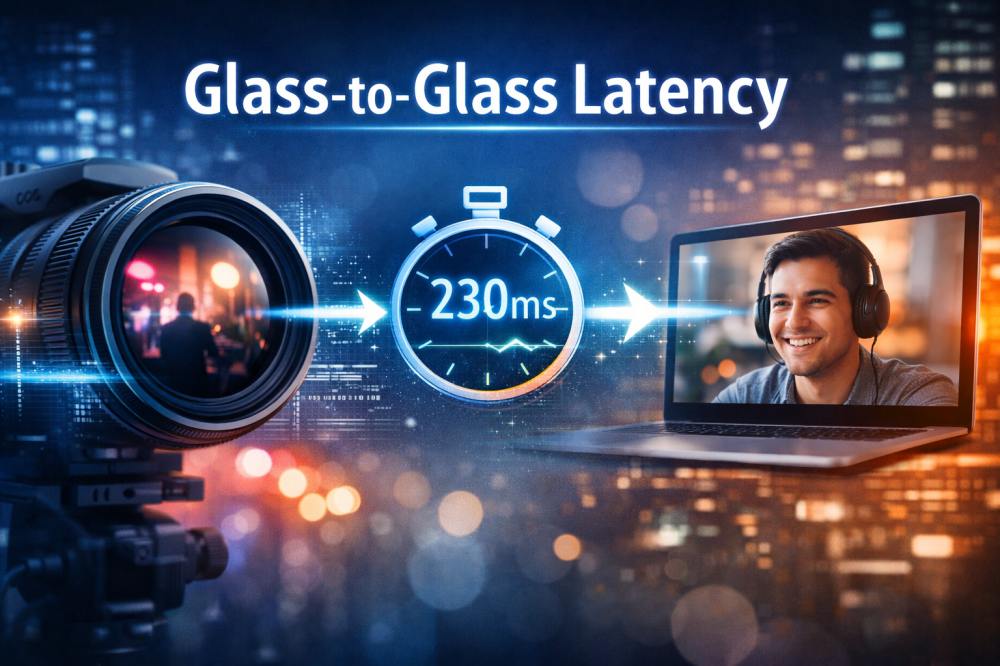
In any real-time video system, the question is not simply whether the video plays smoothly, but how quickly events appear on screen after they happen. When users speak during a video call or react to a live sports moment, even small delays can disrupt the natural flow of interaction. The technical term that describes this total visible delay is Glass-to-Glass Latency. For developers and product teams building live streaming platforms or interactive communication tools, understanding this concept is essential because it directly shapes how responsive and natural a system feels in everyday use.
What is Glass-to-Glass Latency?
Glass-to-Glass Latency refers to the total time it takes for audio or video captured by a source device to be displayed on a viewer’s screen. The term “glass” refers to both the camera lens, where media is captured, and the display screen, where it is ultimately rendered. Unlike simple network delay, this measurement reflects the entire media pipeline. It includes capture, preprocessing, encoding, transmission, server routing, decoding, buffering, and rendering.
Because it accounts for every stage in the communication chain, Glass-to-Glass Latency represents the true user-perceived delay. Even when network speed is strong, device processing and playback strategies can introduce noticeable lag. For this reason, measuring only network latency provides an incomplete picture. Developers who want to improve real-time responsiveness must evaluate the full capture-to-display path rather than a single segment.
How Does Glass-to-Glass Latency Work?
In practice, Glass-to-Glass Latency is the cumulative result of several technical stages working together. When a person speaks into a microphone or moves in front of a camera, the device first converts physical signals into digital data. This raw data typically undergoes preprocessing such as noise suppression or image enhancement before being compressed into a format suitable for transmission. Compression reduces bandwidth requirements but introduces encoding delay.
Once encoded, the stream travels across the internet to a server infrastructure that routes it to the receiving participant. On the receiving side, decoding reconstructs playable media from compressed data. To maintain smooth playback under unstable network conditions, the system may buffer a small amount of content. Finally, frames are rendered on screen and audio is played through speakers.
Each stage contributes a relatively small amount of delay, but together they determine the total Glass-to-Glass Latency. Because these delays accumulate, improving performance requires coordinated optimization across the entire workflow.
What is Acceptable Glass-to-Glass Latency?
User perception research suggests that a delay below roughly 200 milliseconds feels almost instantaneous in conversational settings. Interaction remains smooth as latency approaches 300 milliseconds, and most participants do not consciously notice the timing difference. However, once Glass-to-Glass Latency reaches around 400 milliseconds, conversational rhythm begins to deteriorate. Speakers may start interrupting one another or hesitate before responding because the feedback loop no longer feels immediate.
If latency continues to increase beyond 500 milliseconds, the experience becomes noticeably out of sync. In video meetings, this often results in overlapping speech and awkward pauses. Online classrooms lose their natural discussion flow, and interactive live commerce or gaming sessions suffer from delayed reactions. For this reason, many real-time communication platforms treat 400 milliseconds as a practical upper boundary for maintaining smooth and natural interaction.
What Causes High Glass-to-Glass Latency?
High Glass-to-Glass Latency rarely originates from a single bottleneck. Instead, it is the result of accumulated delays across device performance, network routing, and system design choices. Encoding and decoding processes require computational resources, and devices under heavy load may introduce additional processing time. Hardware limitations can therefore directly affect visible delay.
Network conditions also play a central role. Data traveling across long geographic distances naturally takes more time. Packet loss and jitter force playback systems to introduce buffering to preserve continuity, which increases the time before frames are displayed. Transport protocols that emphasize reliability over speed may add retransmission delays that further extend total latency.
Application logic contributes as well. Stream initialization, room authentication, and playback scheduling policies influence how quickly the media begins playing once it is received. Effective reduction strategies must address these factors collectively rather than optimizing only one layer.
How to Measure Glass-to-Glass Video Latency
Measuring Glass-to-Glass video latency requires observing the time difference between when an event occurs in front of a camera and when that same event appears on a display. Because this delay spans the entire capture-to-playback pipeline, accurate measurement must include both device processing and transmission stages.
One common method is to record a high-precision timer placed in front of the camera and compare it with the displayed timer on the receiving screen. By capturing both source and playback in a single frame using a secondary camera, engineers can calculate the time difference visually. This method is frequently used in laboratory testing environments because it provides a clear frame-level comparison.
Another approach involves software instrumentation. By inserting timestamps at the capture stage and comparing them with timestamps at the playback stage, developers can estimate latency programmatically. While this method is convenient for large-scale monitoring, it requires synchronized clocks and careful handling of timestamp accuracy.
In production environments, both methods are often combined. Physical measurement provides validation, while real-time monitoring tools track latency fluctuations across different network conditions. Accurate measurement is essential because optimization efforts are only effective when teams understand where delay is introduced along the pipeline.
How ZEGOCLOUD Reduces Glass-to-Glass Latency
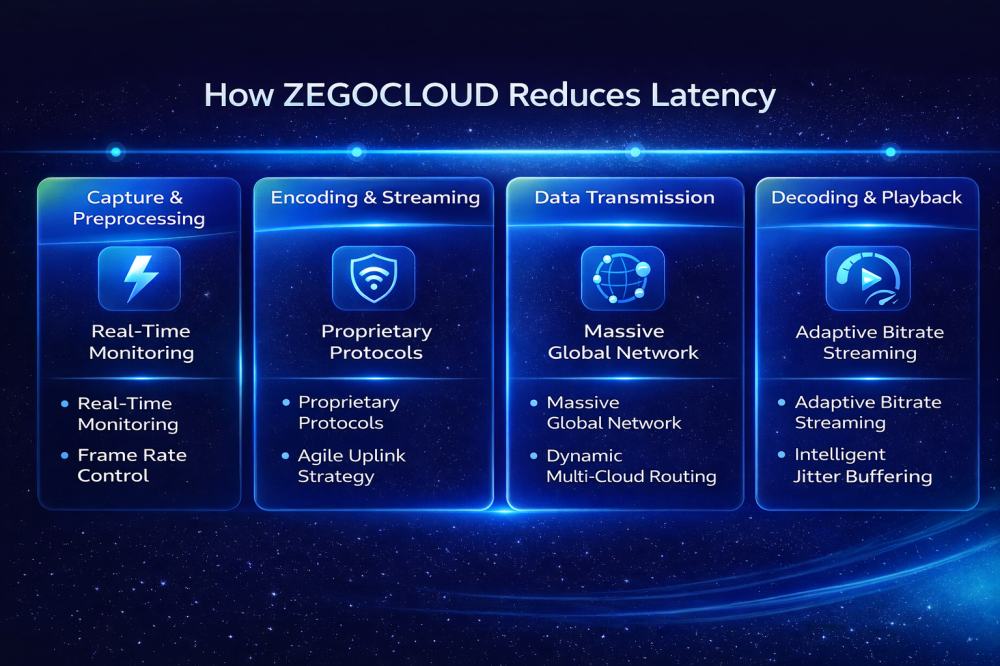
Reducing Glass-to-Glass Latency requires coordinated optimization across infrastructure, transport, and playback rather than focusing on a single bottleneck. ZEGOCLOUD addresses this challenge through system-level engineering that spans the entire media pipeline.
Global Network Architecture
ZEGOCLOUD operates a globally distributed network with more than 500 nodes worldwide. Intelligent routing dynamically selects shorter transmission paths to reduce cross-region delay. A decentralized architecture supports flexible stream handling under high concurrency while preserving low-latency routing. Multi-cloud communication links provide automatic failover and traffic scheduling when individual nodes experience instability.
Transport Protocol Optimization
At the transport layer, ZEGOCLOUD relies on UDP-based transmission optimized for real-time communication. Compared with TCP, UDP avoids acknowledgement overhead and reduces congestion buildup in unstable network environments. On top of this, ZEGOCLOUD integrates forward error correction, adaptive bitrate control, and bandwidth estimation to maintain continuity without introducing unnecessary retransmission delay.
Network Resilience Under Weak Conditions
To handle packet loss and jitter, ZEGOCLOUD applies adaptive jitter buffering and packet recovery strategies. Forward error correction and retransmission tuning reduce visible artifacts while minimizing added delay. Intelligent QoS management ensures stable audio and video performance even under fluctuating network conditions.
Full-Pipeline Optimization
Latency reduction is not limited to transmission. ZEGOCLOUD optimizes capture processing, encoding efficiency, stream publishing, adaptive decoding, and playback rendering. By aligning improvements at every stage, the platform maintains average Glass-to-Glass Latency around 200 milliseconds in typical environments, with lower values achievable under optimized conditions.
Conclusion
Glass-to-Glass Latency represents the total visible delay between capture and playback in a video system. It is influenced by device processing, network routing, protocol design, and buffering strategies. Because these factors accumulate, improving performance requires a comprehensive approach rather than isolated tuning.
For developers building video conferencing platforms, live streaming services, or interactive applications, treating Glass-to-Glass Latency as a core architectural consideration ensures that the final product feels responsive and reliable. In real-time communication, smooth timing often defines user satisfaction more than visual resolution alone. Prioritizing responsiveness from the beginning ultimately leads to stronger engagement and a more natural experience.
FAQ
Q1: What is the difference between Glass-to-Glass Latency and network latency?
Network latency measures the time it takes for data to travel from one point to another across the network. Glass-to-Glass Latency includes the entire pipeline, from media capture to playback on the receiving screen. It accounts for encoding, transmission, decoding, buffering, and rendering. Users perceive the total delay, not just the network portion.
Q2: What is considered low Glass-to-Glass Latency?
In real-time communication scenarios, latency below 200 milliseconds feels nearly instantaneous. Around 300 milliseconds remains acceptable for most users. Once latency approaches 400 milliseconds, interaction begins to feel less natural. For video calls and interactive platforms, staying under 400 milliseconds is generally recommended.
Q3: How can Glass-to-Glass Latency be measured accurately?
It can be measured by placing a visible timer in front of the camera and comparing it to the displayed timer on the receiving screen. Engineers may also use timestamp instrumentation at capture and playback stages. Accurate measurement must include device processing and playback delay, not only network time.
Let’s Build APP Together
Start building with real-time video, voice & chat SDK for apps today!
