Digital content now requires exceptional performance, making bitrate selection an important part of media delivery. Since bitrate directly influences playback smoothness and bandwidth consumption, professionals must carefully evaluate CBR vs VBR. Moreover, the growing reliance on seamless digital experiences has made the discussion around this difference increasingly significant in industries. For a deeper understanding of this debate, keep reading the guide to uncover how each bitrate approach impacts content performance.
What is CBR vs VBR?
To understand which encoding method delivers better results, you’ll need to know how each approach manages data during media compression. Therefore, look closely at the Constant Bitrate vs Variable Bitrate comparison to clarify their role in balancing quality and file size:
| Aspects | CBR (Constant Bitrate) | VBR (Variable Bitrate) |
|---|---|---|
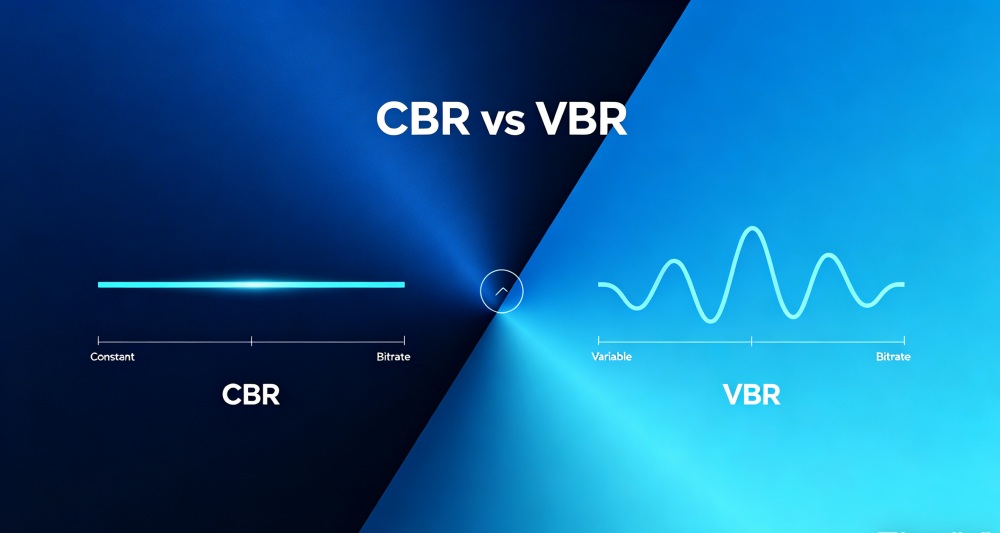
| Bitrate Behavior | Keeps the bitrate steady for the whole audio/video stream, regardless of scene complexity. | Bitrate goes up for complex scenes and down for simple scenes; changes throughout the stream. |
| Quality | It is consistent but not optimized. | Generally better overall quality at the same average bitrate. |
| Bandwidth & File Size | Predictable and constant bandwidth; file size is easy to estimate | More efficient use of bandwidth and storage; file size and bandwidth are less predictable. |
| Compatibility & Complexity | Widely compatible and simpler to encode or manage in pipelines. | More complex to encode and less compatible; encoders and players must handle varying bitrates well. |
| Best Use Cases | Live streaming, video conferencing, and situations requiring stable, predictable bandwidth. | Video‑on‑demand, uploads, and high‑quality content, where you can allow the bitrate to vary. |
How Do CBR and VBR Differ?
Even though both encoding methods compress and deliver media more efficiently, they handle data allocation in very different ways. Thus, these distinctions are briefly discussed below for better evaluation of Constant Bitrate against Variable Bitrate:
- How Bitrate Is Controlled: CBR uses a single fixed bitrate from start to finish, regardless of what is happening in the video or audio. However, VBR lets the bitrate vary over time, going up for complex parts and down for simple parts.
- Impact on Video/Audio Quality: With CBR, quality is stable but not always ideal; simple scenes may waste bits, while busy scenes look blocky due to constant bitrate. Whereas in Variable Bitrate, the encoder can allocate more bits to more demanding scenes and fewer to easier ones.
- Bandwidth and File Size Behavior: The CBR makes bandwidth use predictable, which is useful when you have strict network limits or need stable upload speeds. Alternatively, VBR makes better use of bandwidth overall, but the moment‑to‑moment bitrate and final file size are less predictable.
- Effect on Real‑Time Applications: In real-time apps like live streaming, sudden jumps in bitrate (with VBR) can sometimes overload weak networks and cause buffering. However, CBR avoids these spikes by keeping the bitrate steady, which is why many real-time systems prefer CBR.
- Typical Use Cases: Constant Bitrate is used for conferencing scenarios where a known, constant bitrate is important to avoid buffering. Conversely, VBR is more common for video-on-demand, recordings, and high-quality media delivery, where you can accept changing bitrates.
When to Use CBR vs VBR?
The selection of the correct encoding method depends massively on your content delivery goals and technical requirements. Before making any final decision, understand “what is Constant Bitrate” and where both bitrate methods perform best:
When to Use CBR (Constant Bitrate)
- Use CBR for live streaming (events, webinars, 24/7 channels) to keep the outbound bitrate stable.
- It’s a practical fit when viewers are on stable networks, because a fixed bitrate is easier for planning.
- Choose CBR when you need predictable bandwidth and simple planning, like in corporate networks.
- CBR also makes sense if you value faster, simpler encoding and broad compatibility over squeezing every last visual.
- Pick CBR if your workflow uses ABR (adaptive bitrate) ladders where each rendition has a fixed target bitrate.
When to Use VBR (Variable Bitrate)
- Use VBR for video‑on‑demand (VOD) and stored content, where the encoder can allocate more bits to complex scenes.
- It is a strong choice when you want better quality at the same average bitrate or smaller file sizes.
- Consider VBR when your delivery environment can handle bitrate fluctuations and less predictable moment‑to‑moment bandwidth.
- Use Variable Bitrate for offline encoding workflows where encoding time is less critical, as two-pass VBR optimizes output.
- Prefer VBR if your priority is top visual fidelity for high-motion or detailed content (sports, or action scenes).
CBR or VBR for Video Streaming
For video streaming, CBR (Constant Bitrate) is usually better when you care most about stability. However, VBR (Variable Bitrate) is better when you care most about the quality and efficiency. With CBR, the stream sends data at a fixed rate continuously, making bandwidth usage very predictable. Besides this, it helps avoid sudden spikes that can cause buffering on weaker networks and is often chosen for live streaming.
VBR, on the other hand, lets the bitrate go up for complex scenes and down for the simple ones. This is why, at the same average bitrate, you can get better picture quality or smaller file sizes. Thus, VBR is a strong choice for video‑on‑demand libraries, recorded content, and situations where viewers are mostly on high-speed connections. It suits conditions where bitrate changes are tolerable as long as quality stays high.
Common Use Cases of CBR and VBR
This comparison between Constant Bitrate vs Variable Bitrate becomes clearer when examining real-world scenario usage:
Common CBR Use Cases
- Live Streaming: CBR is widely used for live streams (YouTube, Facebook Live) because it ensures stable uploads and reduces sudden spikes.
- Video Conferencing and VoIP: Many real-time communication apps use CBR internally to keep voice and video smooth and latency low.
- Digital TV, Radio, and Broadcast Channels: Broadcasting standards such as DVB and ATSC often rely on CBR to ensure TV and radio signals have predictable bandwidth.
- Streaming Over Fixed Links (Satellite, Corporate Networks): When you push a stream over a fixed-capacity link, such as RTMP, a constant bitrate makes capacity planning simple.
- Surveillance and CCTV Systems: Multiple CCTV and security camera setups use CBR, so each camera stream has a fixed, known bitrate.
Common VBR Use Cases
- Video‑on‑Demand (Movies, Series): Use VBR to encode VoD content because it allocates more bits to complex scenes and fewer to simple ones.
- Premium 4K/HDR and High‑Detail Content: For high‑resolution or HDR material where visual quality is a selling point, VBR helps preserve fine detail and motion.
- Time‑Shifted TV, Cloud DVR, and Catch‑Up Services: Operators can encode recorded shows and replays with VBR offline, optimizing each program for high quality across different devices.
- OTT and Streaming Platforms: Large streaming services often use VBR in their encoding pipelines to store large catalogs at high quality.
- Offline Audio and Video Encoding: Variable Bitrate is common in music formats and archived video because it saves storage by using fewer bits.
How ZEGOCLOUD Optimizes Bitrate in Real-Time Streaming
ZEGOCLOUD optimizes bitrate in real-time streaming mainly through adaptive bitrate streaming and intelligent network handling built into its SDKs. Its platform constantly monitors each viewer’s connection and automatically adjusts video quality, allowing people to see higher-quality video. Moreover, this uses adaptive HLS/DASH and real‑time bitrate adjustment, so the stream keeps matching the current network. The platform combines these bitrate changes with ultra-low-latency techniques and its own error-handling methods.
Using its own AVERTP protocol, a global MSDN network (500+ nodes), it keeps stuttering rates under 1%. Additionally, its Voice and Video SDKs can dynamically tune encoding parameters such as bitrate and frame rate. Plus, the platform runs on a globally distributed infrastructure that keeps CBR vs VBR decisions at scale. Its APIs automatically adjust video bitrate and resolution based on each viewer’s current network speed.
Conclusion
In summary, both CBR vs VBR serve an important role in digital media encoding, but they are designed for different priorities. However, the choice ultimately depends on the balance you want to strike between stability and optimization. For real-time communications and streaming, ZEGOCLOUD is recommended to further enhance the experience by optimizing the bitrate in real time.
FAQ
Q1: Is VBR good for gaming?
Yes, VBR can work well for gaming content, especially when streaming or recording gameplay with changing visual complexity. Since games often switch between fast action scenes and static menus, VBR can allocate more bitrate to demanding moments while saving bandwidth during simpler scenes. This usually helps improve visual quality without creating unnecessarily large file sizes. However, for highly stable live streaming environments, some platforms may still prefer CBR for more predictable delivery.
Q2: Is Spotify CBR or VBR?
Spotify mainly uses Ogg Vorbis audio compression with VBR encoding for streaming. VBR helps Spotify maintain better audio quality while optimizing bandwidth usage across different types of music and listening conditions. The exact bitrate can vary depending on the user’s streaming quality settings.
Q3: What is a good bitrate for CBR?
A good CBR bitrate depends on the content type and resolution. For example, 1080p live streaming commonly uses around 4,500–6,000 kbps, while 720p streaming may work well at 2,500–4,000 kbps. Higher-motion content such as gaming or sports usually requires higher bitrates to maintain clear image quality.
Q4: Is CBR or VBR better for reels?
For short-form videos and reels, VBR is often the better choice because it can deliver higher visual quality while keeping file sizes smaller. Since reels usually contain a mix of motion-heavy and static scenes, VBR dynamically adjusts the bitrate for better compression efficiency. However, some platforms may automatically re-encode uploads, so creators should also follow the platform’s recommended export settings.
Let’s Build APP Together
Start building with real-time video, voice & chat SDK for apps today!