










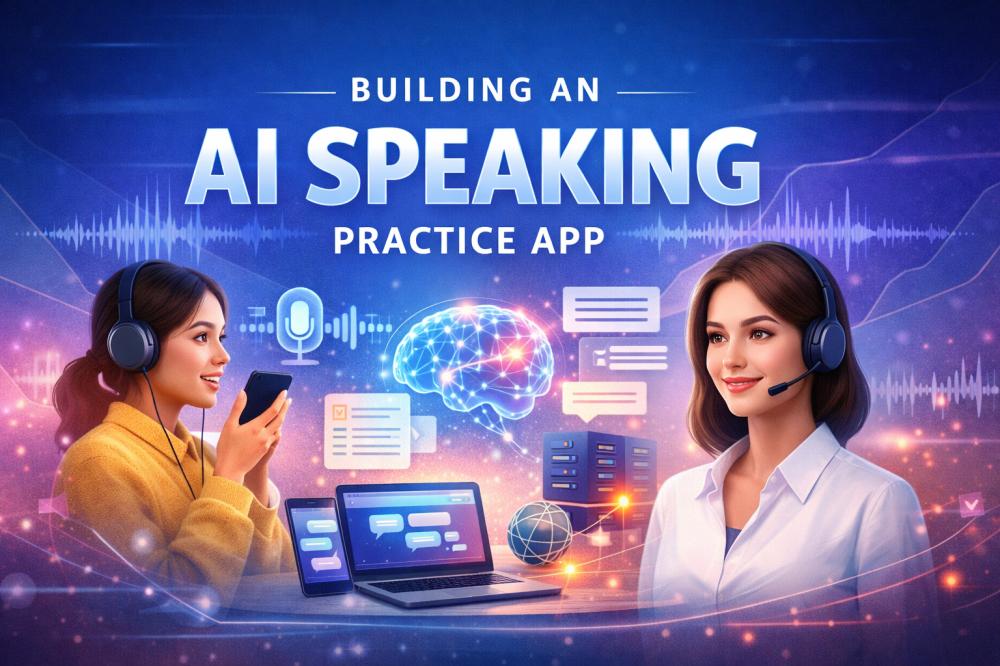
Speaking practice has always been one of the hardest parts of language learning to scale. Traditional tutor-led models are expensive, while early AI tools often lack natural interaction. As AI, speech, and real-time technologies continue to improve, language learning platforms now have new ways to deliver speaking practice more efficiently. A strong AI speaking app is no longer just about answering spoken questions. It needs to feel real, responsive, and engaging enough for learners to keep using it. This article explores how to build a real-time AI speaking practice app for modern language learning platforms.
What is an AI Speaking Practice App?
An AI speaking practice app is a language-learning application that allows learners to practice spoken communication with an AI-powered partner in real time. Instead of relying only on static lessons, prerecorded audio, or text-based exercises, the app creates a more interactive learning loop. The learner speaks, the system understands the input, generates a contextual response, and replies with speech, often supported by a visual avatar or digital human.
For platform teams, this kind of product is typically built on several core layers. Speech recognition converts spoken input into text. A large language model interprets intent and context. Text-to-speech produces a spoken reply. Real-time communication infrastructure keeps interactions fast and conversational. In more advanced products, AI avatars add facial expressions, lip sync, gestures, and emotional feedback to make the experience feel more immersive.
The result is not just an AI tutor in the abstract. It is a delivery model for speaking education that supports guided practice, scenario simulation, confidence-building, and repeated conversations at a much lower marginal cost than one-to-one human instruction.
The Rising Market for AI Speaking Practice Apps
The market signal behind this category is strong. Grand View Research estimates that the global online language learning market reached about USD 22.1 billion in 2024 and is projected to grow to roughly USD 54.8 billion by 2030. The same report notes that self-learning apps held the largest revenue share in 2024 and points to AI-powered language apps as a driver of more personalized and interactive learning experiences.
The broader AI in education market is also expanding quickly. Grand View Research estimates that this market reached USD 5.88 billion in 2024 and could reach USD 32.27 billion by 2030, driven by demand for personalized learning, intelligent tutoring systems, learning platforms, and virtual facilitators.
This is especially relevant for speaking practice because speaking remains one of the least scalable parts of language education. Reading and listening can be delivered asynchronously at low cost. Speaking is different. It depends on response timing, turn-taking, confidence, and repetition. That makes it expensive in traditional models and difficult to standardize across large learner populations.
The product direction of leading language apps also aligns. Duolingo introduced AI-powered speaking experiences, such as Video Call, to help learners practice realistic conversation skills in a low-pressure setting and build confidence. For EdTech product teams, this suggests that the category is moving beyond text-based tutoring toward more immersive voice-first interactions.
Key Features of an AI Speaking Practice App
For product leaders and developers, the goal is not to include as many AI features as possible. What matters is building a speaking experience that feels natural, useful, and scalable.
- Production readiness: A commercial app should be built for more than a demo. It should support flexible AI integration, scalability, concurrency, cost control, and expansion into different learning scenarios.
- Real-time voice interaction: Learners should be able to speak naturally and receive responses without noticeable delay. Low latency is essential because it directly affects whether the experience feels like a real conversation.
- Contextual dialogue: The app should understand the flow of the conversation, not just single sentences. This helps the AI provide relevant replies, guide learners when they hesitate, and adapt to different speaking scenarios.
- High-quality speech input and output: Accurate speech recognition is needed to capture learner intent, while natural text-to-speech helps create a more believable speaking partner. These capabilities are especially important in language learning, where clarity and feedback matter.
- Natural interruption handling: In real conversations, learners often pause, correct themselves, or interrupt to ask questions. A strong speaking app should handle these moments smoothly to keep the interaction natural.
- AI avatars or digital humans: Visual interaction can make speaking practice more engaging. Features such as lip sync, facial expressions, gestures, and emotional feedback are especially useful for children’s language learning and immersive practice.
Use Cases of AI Speaking Practice Apps
AI speaking practice apps can support different learner groups and learning goals. For language learning platforms, the most common use cases usually fall into the following categories.
1. Children’s English Learning
For young learners, speaking practice needs to be engaging, supportive, and easy to follow. AI avatars, expressive feedback, and interactive conversation can help children feel more comfortable speaking and build interest from an early stage.
2. Exam Preparation
AI speaking apps can be used for exam-focused practice, such as IELTS or TOEFL speaking preparation. Learners can simulate test scenarios, answer common question types, and build confidence through repeated practice.
3. Interview and Career Training
For adult learners, speaking practice is often tied to real communication goals. AI can help simulate job interviews, workplace discussions, and professional communication scenarios, making practice more practical and targeted.
4. Travel and Daily Conversation
Many learners want to improve their speaking skills for everyday use. AI speaking apps can support common situations such as airport check-in, hotel booking, asking for directions, or casual daily conversations.
5. Business Communication
Language learning platforms can also use AI speaking tools for business English training. This includes sales conversations, customer support, meetings, and cross-border communication scenarios.
Personalized Practice for EdTech Platforms
For EdTech companies, AI speaking apps can be designed to support different age groups, levels, and course goals. This makes it easier to deliver more personalized speaking practice at scale.
Benefits of AI Speaking Practice Apps
For language learning platforms, AI speaking practice apps offer clear benefits in both delivery and user experience.
- Higher operational efficiency: For platforms, AI speaking apps provide a more cost-effective way to deliver personalized support at scale while reducing reliance on live teaching resources.
- Greater scalability: AI speaking apps make spoken language training easier to scale. Compared with one-to-one tutoring, they reduce delivery costs and make speaking practice available to more learners.
- More consistent learning experiences: Human teaching quality can vary by instructor, schedule, and location. AI systems help platforms provide more standardized speaking practice across different users and scenarios.
- Better access and flexibility: Learners can practice anytime instead of waiting for a scheduled class. This is especially useful for busy adult learners and users in markets with limited access to qualified speaking tutors.
- Stronger learner engagement: Real-time interaction, contextual guidance, and avatar-based feedback can make speaking practice feel more natural and immersive. This can encourage learners to practice more often.
How Does an AI Speaking Practice App Work?
A real time AI speaking practice app typically works as a coordinated interaction loop between several systems.
The learner begins by speaking into the app. Speech recognition converts that audio into text. The language model then interprets the utterance in context, including what has already been said, what scenario is being practiced, and what the learner may need next. Once the system generates a response, text-to-speech converts that response into spoken audio. If the app includes a digital human, the avatar also renders lip movement, facial expression, and visual cues to match the reply. Throughout the whole process, the real-time communication infrastructure keeps the voice exchange fast enough to preserve conversational flow.
From a product standpoint, what matters most is not whether each component works on its own, but whether the entire interaction feels natural. High latency can break the flow of conversation, poor interruption handling can make the experience feel rigid, and mismatched avatar motion can reduce realism. In children’s learning scenarios, a lack of emotional feedback may also make the interaction feel less engaging and encouraging.
This is why infrastructure matters as much as model intelligence. A good speaking experience depends on synchronized delivery across audio capture, AI inference, response generation, and visual presentation.
How to Build an AI Speaking Practice App
Building an AI speaking practice app requires more than connecting a language model to voice input. For language learning platforms, the product needs to be designed around learner needs, real-time interaction, and long-term scalability.
Step 1: Define Your Learner and Use Case
Start by identifying who the app is for and what kind of speaking practice it should support. A product for children’s oral English learning will need a very different experience from one designed for adult interview training or exam preparation. The learner profile will shape the conversation style, feedback method, pacing, and avatar design.
Step 2: Design the Conversation Framework
Next, decide how learners will interact with the app. The experience may focus on free conversation, guided speaking exercises, role play, exam simulation, or task-based dialogue. A clear conversation framework helps turn AI capability into real learning value.
Step 3: Build the AI Stack
A typical AI speaking app combines several core technologies. These usually include a large language model for contextual responses, speech recognition for input, and text-to-speech for spoken output. Depending on the product, teams may also add pronunciation feedback, emotion recognition, or support for multiple accents.
Step 4: Enable Real-Time Voice Interaction
Real-time interaction is one of the most important parts of the experience. The system should support low-latency voice streaming, smooth turn-taking, and natural interruption. This helps the conversation feel more like real speaking practice and less like delayed voice commands.
Step 5: Add AI Avatars or Digital Humans
For many speaking apps, especially in children’s learning or immersive scenario training, visual interaction can improve engagement. AI avatars or digital humans can make the experience more vivid through lip sync, facial expressions, gestures, and emotional feedback.
Step 6: Prepare for Scale and Product Growth
A commercial speaking app needs to be built for more than a demo. It should support concurrency, flexible integration, monitoring, and cost control. This is essential for platforms that want to expand into large-scale speaking practice across different learner groups and scenarios.
Why ZEGOCLOUD for AI Speaking Practice Apps
ZEGOCLOUD provides the real-time infrastructure and interaction capabilities needed to build AI speaking practice apps for language learning platforms. From low-latency voice delivery to digital humans and scalable deployment, it helps teams create more natural and production-ready speaking experiences.
- Real-time low-latency interaction: ZEGOCLOUD supports smooth voice-based conversations with end-to-end latency within 1.5 seconds, helping speaking practice feel more immediate and natural.
- Natural interruption handling: The platform supports voice interruption response in as fast as 500 ms, making it easier to create conversations that feel more human and less rigid.
- AI avatars and digital humans: Teams can build more engaging speaking experiences with customizable avatars, lip sync, gestures, and facial expressions, especially for immersive learning scenarios.
- Support for different learning scenarios: ZEGOCLOUD can support both children’s language learning and adult speaking practice, including interactive tutoring, role play, and scenario-based conversation.
- Flexible AI integration: It connects with mainstream LLM and TTS providers, giving platforms more flexibility when building for different markets and product needs.
- Scalable delivery: With support for high concurrency and cost-efficient deployment, ZEGOCLOUD helps platforms serve large numbers of learners more efficiently.
Conclusion
Building an AI speaking practice app is not just about adding AI to a language product. It is about creating a real-time speaking experience that feels natural, supports different learner needs, and can scale in production. For language learning platforms, this is where real-time interaction, digital humans, and flexible AI integration become especially important. With these capabilities, ZEGOCLOUD helps teams build more immersive and scalable speaking experiences.
FAQs
Q1: How long does it take to build an AI speaking practice app?
The timeline depends on the product scope and feature complexity. A basic version with voice input, AI response, and text-to-speech can be built faster, while a more advanced app with real-time interaction, AI avatars, interruption handling, and multiple learning scenarios will take longer. For most platforms, development time is shaped by how much customization, integration, and scalability are required.
Q2: How much does it cost to build an AI speaking practice app?
The cost depends on the AI stack, real-time infrastructure, avatar features, and expected user volume. A simple MVP usually costs less, while a production-ready platform with low-latency interaction, digital humans, and large-scale concurrency requires a higher investment. Ongoing costs may also include LLM usage, speech services, cloud resources, and platform maintenance.
Q3: What tech stack is needed for an AI speaking practice app?
A typical AI speaking practice app combines several layers of technology, including speech recognition, a large language model, text-to-speech, and real time communication. If visual interaction is needed, AI avatars or digital humans can also be added. On the product side, teams often need frontend apps, backend services, user management, analytics, and content or scenario configuration tools.
Let’s Build APP Together
Start building with real-time video, voice & chat SDK for apps today!
