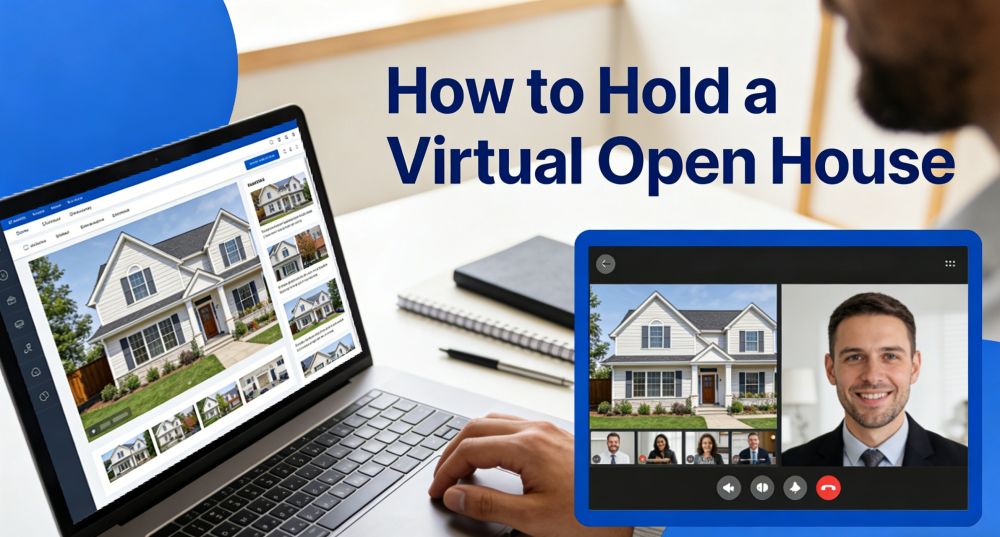
The need for flexible home viewing grows as busy people seek simple digital options. Nowadays, many agents look for ways to help buyers explore homes comfortably from anywhere. Here, a virtual open house gives every viewer precise details and smooth guidance during each session. This approach builds stronger interest because people enjoy the freedom to join without pressure. So, this guide explores how to run these sessions smoothly and confidently.
What is a Virtual Open House?
A virtual open house basically lets people explore spaces easily through simple video sessions. It replaces physical visits and lets people join instantly from phones, laptops, or tablets. Here, hosts use video calls or livestreams to show every corner with clear guidance. Similarly, viewers ask questions, chat with hosts, and understand property or campus details in real time.
In real estate, it helps buyers easily find homes and make fast, informed choices online. Schools also use this format, especially during a private school virtual open house session. Furthermore, it even allows families to meet teachers and learn program details from any location.
Why Host a Virtual Open House?
Many people explore events online, so understanding what a virtual open house is becomes essential. They help hosts reach larger audiences effectively without the stress of physical event planning. Below, you will explore a few key points for holding a virtual open house:
- Broader Reach: Online access helps distant viewers join comfortably from any place without travel demands. Thus, hosts grow interest quickly because more people view clear tours and ask helpful questions.
- Lower Costs: Virtual events remove printing needs and food expenses during regular community presentations. So, owners enjoy calmer schedules because fewer guests enter homes during busy personal hours.
- Quality Leads: Registration forms and question tools help gather valid audience data for future engagement. Besides, this focused interaction builds trust and attracts genuine buyers or students who are seriously interested.
- Better Engagement: Interactive Q&A and polls maintain connection and attendee participation levels. Hence, participants feel included as hosts respond quickly, guiding them through every displayed feature.
- Stronger Leads: Besides, hosts check interest early by letting viewers explore spaces before scheduling physical visits. Therefore, chat tools gather questions that help teams understand real needs and plan stronger follow-ups.
Common Challenges of Hosting a Virtual Open House
Hosting an online open house brings both opportunity and difficulty in creating smooth experiences. Anyhow, the following issues create pressure, so clear preparation helps keep every session smooth and steady:
| Challenge | Explanation |
|---|---|
| Technical Issues | Unstable internet or outdated devices interrupt streams and affect smooth communication. |
| Access Problems | Some attendees struggle with logins or platform tools without simple step-by-step guidance. |
| Low Engagement | Home distractions reduce focus and increase fatigue during long online presentations. |
| Weak Connection | Viewers miss the real room feeling because screens hide depth, tone, and atmosphere. |
| Interaction Limits | Pre-recorded sessions block live questions, while live sessions limit deeper responses. |
| Content Pressure | Hosts prepare visuals, structures, and scripts that demand more care than walk-throughs. |
| Time Conflicts | Different time zones restrict attendance and shorten chances for clear interaction. |
Types of Virtual Open House Format
Different online events follow unique formats that help hosts share spaces clearly with viewers everywhere. So, this part covers 5 different types of virtual open houses:
1. Live Video Tours
Live video tours show real places directly through streaming on Zoom or Facebook. Hosts guide attention to essential features while keeping the session engaging and smooth. At the same time, attendees ask questions via chat or audio while seeing rooms clearly and directly. This format creates energy and excitement that feels like visiting in person. It even helps viewers understand how to do a virtual house viewing effectively online.
Platforms powered by real-time audio and video technologies, such as ZEGOCLOUD, help ensure smooth streaming and clear communication throughout the session.
2. Interactive Tours
This type of tour basically lets viewers explore spaces freely using 3D or 360° tools online. Here, people explore each angle, zoom into details, and understand the layout clearly without live guidance. Moreover, this format gives flexibility and clarity while exploring spaces in great visual depth. A private school virtual open house benefits from such interactive tours for flexible exploration.
Using solutions like ZEGOCLOUD makes it easier to switch between recorded content and live interaction without lag or interruptions.
3. Pre-recorded Video Tours
Such types of video tours share edited walkthroughs through websites, emails, or listing platforms conveniently online. Furthermore, hosts record rooms carefully, highlight features, and add clear narration to guide every viewer. Plus, this format works well for different time zones and flexible scheduling of audience viewing. Besides, it enhances online open house experiences by combining storytelling and visual presentation flow.
4. Hybrid and Multi‑segment Events
It mixes live interaction with recorded tours and flexible viewing options. Attendees explore videos first, then join scheduled Q&A rooms for personalized answers and discussions. This approach also offers choice and deeper engagement between hosts and interested participants online. Moreover, it works well for real estate or schools that need both visual detail and interactive connection.
5. Guided Small‑group or 1:1 Virtual Tours
This virtual tour focuses on personal interaction and detailed exploration of the property. Hosts speak directly with attendees to answer questions instantly and adapt sessions to individual interests. In addition, this approach gives privacy and comfort for high-value or specialized program presentations. Hence, it strengthens trust during a virtual open house by making every viewer feel valued personally.
How to Host a Virtual Open House
Hosting an online open house requires planning, preparation, and smooth execution. Therefore, the following steps ensure attendees enjoy the session and gain valuable information easily:
Step 1. Decide between live, pre-recorded, or hybrid formats that fit your event goals clearly. Also, pick a platform like Zoom or Meet that perfectly matches your chosen format.
Step 2. Check lighting and arrange visuals for a clear and attractive presentation. Furthermore, outline talking points and prepare videos or 3D tours to guide each tour.
Step 3. Run full rehearsals to check internet speed, audio, camera, and screen sharing tools. Plus, adjust timing so tours last 10 to 30 minutes, leaving space for audience questions efficiently.
Step 4. Create event pages with date, time, link, and content description for viewers. So, share via email or social media, including registration for confirmations and reminders.
Step 5. Integrate ZEGOCLOUD APIs for live voice, video, and streaming to enhance online sessions. This allows hosts to provide stable HD tours, real-time Q&A, and smooth interaction even when multiple participants join.
Step 6. Ask participants for feedback using polls, forms, or chat to improve future events. Therefore, analyze responses to understand strengths and weaknesses for your next online open house.
Conclusion
In summary, a virtual open house lets hosts reach broader audiences while saving time and money. It also gives attendees clear views, instant answers, and flexible ways to explore spaces. With the right tools, presenters can guide tours smoothly and answer all questions clearly. Plus, interactive tools keep participants involved and make tours more enjoyable for everyone online. For presenters who want reliable interaction and seamless communication, using ZEGOCLOUD ensures stable streaming and responsive real-time engagement throughout the session.
FAQ
Q1: How do you do a virtual open house?
You host it through a livestream or video call, guiding viewers through each room while answering questions in real time. Proper lighting, stable internet, and a planned route make the session smooth.
Q2: How to host an open house?
Prepare the space, outline key talking points, and ensure your visuals and equipment are ready. During the tour, move through the property in a clear order and give viewers time to ask questions.
Q3: What is a virtual open house?
It is an online version of a property tour where people explore spaces through livestreams, prerecorded videos, or interactive 3D tools. They can join from anywhere and receive explanations instantly.
Q4: How to co-host an open house?
Assign clear roles before starting. One person can lead the walkthrough while another manages chat, questions, and technical support to keep the event organized.
Let’s Build APP Together
Start building with real-time video, voice & chat SDK for apps today!