






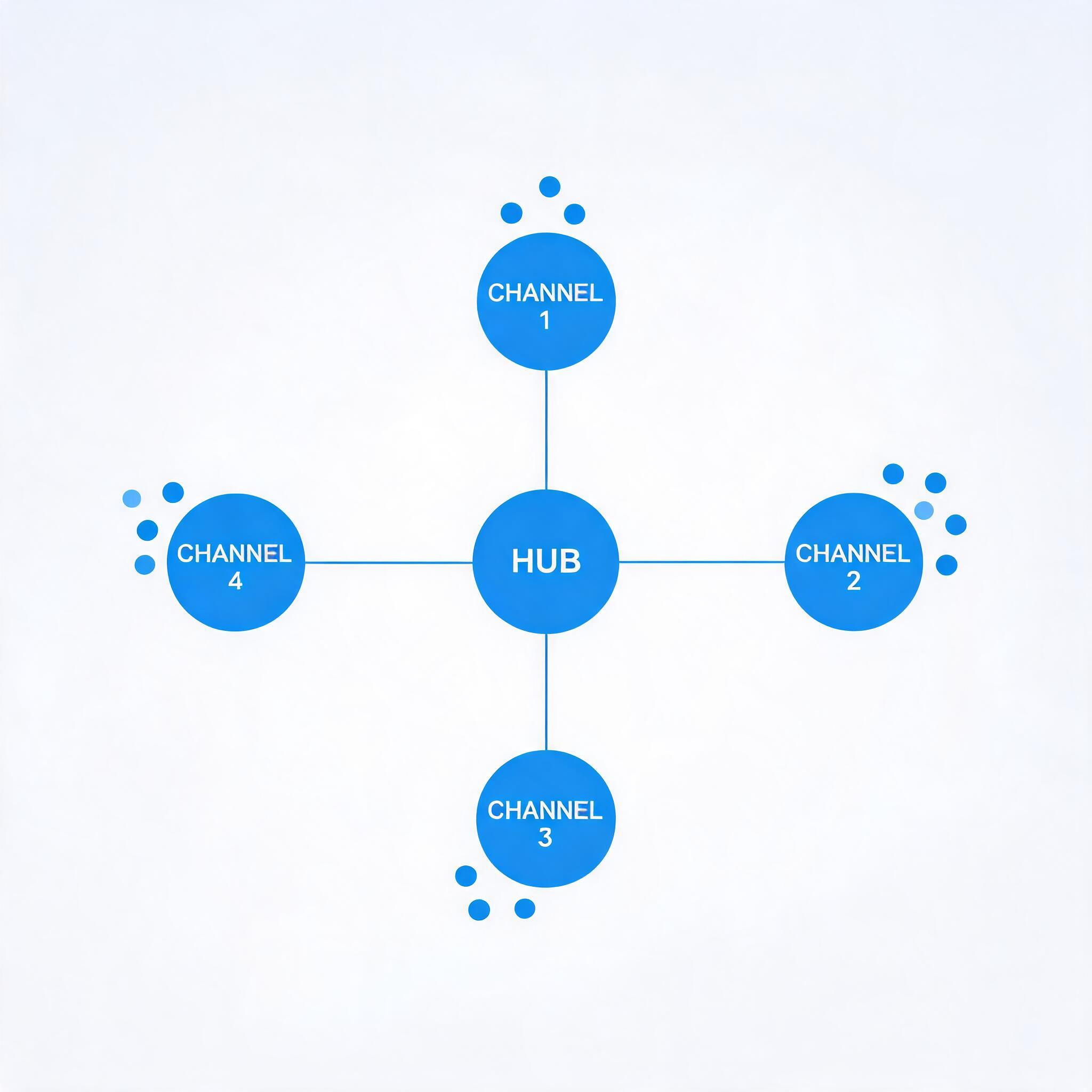
Group chat was the first social feature most apps shipped: one room, one shared message stream, and a hard ceiling on how organized a large audience could stay. As audiences grow, that model breaks down. Fans of one creator want topic rooms. Guild members want strategy channels separate from social chat. Students want one channel per subject. The pattern that works at that scale is the one popularized by Discord — a community that contains many channels, each with its own messages and conversation.
ZEGOCLOUD’s In-app Chat (the ZIM SDK) supports this pattern directly through its Community feature, introduced with ZIM SDK 3.0.0. This guide explains the Community–Channel object model, walks through creating a community, adding channels, managing members, sending and receiving channel messages, and applying moderation — with code and links to the relevant APIs.
The ZIM Community and Channel model
According to the Community overview, Community is an instant messaging capability designed for building real-time, Discord-style interactive communities for gaming groups, interest groups, fan engagement, and online education.
The full product vision is a three-tier structure — Community → Channel → Thread — mirroring Discord’s Server → Channel → Thread. A Community aggregates user relationships, a Channel is the carrier of chat interactions, and a Thread expands a single channel message into a focused discussion (Threads are planned for a future version). Today, the two released tiers that your code works with are:
- Community — the top-level container. Users must create or join a Community before they can interact. Community-level member management and channel management happen here.
- Channel — the basic unit of chat inside a Community. Channels behave like traditional groups and support text, image, voice, video, and other message types. Each channel carries its own isolated message stream.
There are two released channel types:
| Type | Description | Join method | Visibility |
|---|---|---|---|
GENERAL |
The default channel, created automatically when a Community is created. Community-level tips and notifications are sent here. | Auto-join | Visible to all members |
PUBLIC |
A public channel created manually after the Community exists. | Auto-join | Visible to all members |
GENERAL and PUBLIC behave identically; the only difference is when they are created. This intentionally simple, two-type model means every member sees and joins the same channels — there is no separate private-channel flow to maintain.
Communities vs. groups
If you already use ZIM groups, the distinction matters when choosing a structure:
| Feature | Community | Group |
|---|---|---|
| Maximum members | 100,000 by default, expandable to unlimited | 2,000 (configurable) |
| Channels / sub-groups | Supports multiple channels | Not supported |
| Roles | Owner, Admin, Regular member | Owner, Admin, Regular member |
| Join method | Actively join or be invited | Invite, request, or search to join |
| Message model | Isolated by channel | One unified message stream |
| Best for | Large-scale, forum-style communities | Small-to-medium team collaboration |
Key usage limits to design around: the number of Communities under one AppID is unlimited; a Community holds 100 channels by default (expandable to 1,000); a user can join 100 Communities by default (expandable to 500); up to 100 users can be invited per call; and paginated queries return up to 100 items per page.
Community is a premium ZIM feature with no separate charge beyond the premium edition, though some limits can be raised for a fee — it must be activated by ZEGOCLOUD Technical Support before use. Community management operations are currently client-SDK only (no server-side management APIs), and Community event notifications arrive through client SDK callbacks. The guides ship for Android, iOS, macOS, Windows, and React Native; the snippets below use the React Native (TypeScript) API, and each platform guide carries the equivalent signatures.
Prerequisites
Before writing any Community code, complete the standard ZIM setup described in Community management:
- Integrate the ZIM SDK and finish acquisition, initialization, and user login (see Send and receive messages).
- Authenticate with Token. The token model for Community is the same as for other ZIM features — no extra permission declarations are required.
- Use ZIM SDK 3.0.0 or later, and have the premium Community feature activated for your AppID.
The recommended integration order is: create/join a Community → manage members → create/manage channels → send and receive channel messages → manage channel conversations.
Step 1: Create a Community
After login, call createCommunity with basic info (ZIMCommunityInfo) and a creation config (ZIMCommunityCreateConfig). The creator automatically becomes the Community owner and is joined without a separate join call. The result ZIMCommunityCreatedResult returns the complete Community information.
const communityInfo: ZIMCommunityInfo = {
  communityID: 'community_001', // Customizable; blank => server generates an ID starting with #B
  communityName: 'My Community', // Max 300 characters, configurable
  communityAvatarUrl: 'https://example.com/avatar.png', // Max 100 characters
};

const config: ZIMCommunityCreateConfig = {
  communityNotice: 'Welcome!', // Max 500 characters, configurable
  communityAttributes: { key1: 'value1' }, // Up to 10 pairs; key 16 chars, value 1024 chars
};

zim.createCommunity(communityInfo, config)
  .then((result: ZIMCommunityCreatedResult) => {
    // result.communityInfo contains the full Community information
  })
  .catch((err: ZIMError) => {
    // Handle creation failure
  });
communityID accepts numbers, English letters, and a defined set of symbols but cannot start with #; if you leave it blank, the server generates one. The returned ZIMCommunityFullInfo exposes baseInfo, communityNotice, communityAttributes, createTime, creatorUserID, currentMemberCount, and notificationStatus.
Common error codes: 6001003 (Community already exists), 6001007 (permission error), and 6001008 (attribute count exceeded). Later, the owner can dismantle it with dismissCommunity, and other users can enter with joinCommunity or leave with leaveCommunity. Query what exists with queryCommunityList.
Step 2: Add channels
Every new Community already contains its GENERAL channel. To add topic channels, call createCommunityChannel with ZIMCommunityChannelInfo and ZIMCommunityChannelCreateConfig:
const channelInfo: ZIMCommunityChannelInfo = {
  channelID: 'channel_001',
  channelName: 'Announcements', // Max 300 characters, configurable
  channelAvatarUrl: 'https://example.com/channel_avatar.png',
  communityID: communityID, // Parent Community
};

const config: ZIMCommunityChannelCreateConfig = {
  channelNotice: 'This is the Channel notice', // Max 500 characters
  channelAttributes: { type: 'announcement' },
};

zim.createCommunityChannel(channelInfo, config)
  .then((result: ZIMCommunityChannelCreatedResult) => {
    // result.channelFullInfo.conversationID is used for messaging
  })
  .catch((err: ZIMError) => {});
Note the two identifiers immediately: channelID drives channel management (create, update, dismiss), while conversationID on the returned channel object drives messaging and conversation operations. The Channel management guide also covers dismissCommunityChannel, updating the name/avatar/notice, setting and deleting channel attributes, queryCommunityChannelList (paginated with nextFlag), and event handlers for channel list and information changes.
Step 3: Manage community members
Community member management covers invitations, removal, roles, ownership, and member queries.
Invite up to 100 already-registered users per call with inviteUsersIntoCommunity. No consent step is required — invited users become members directly, and any per-user failures come back in errorUserList:
const userIDs = ['user_1', 'user_2'];
zim.inviteUsersIntoCommunity(userIDs, communityID)
  .then((result: ZIMCommunityUsersInvitedResult) => {
    // result.errorUserList lists users that could not be invited
  })
  .catch((err: ZIMError) => {});
Moderation and role APIs include:
kickCommunityMembers— batch-remove members (owner and admins only).updateCommunityMemberRole— promote or demote a member (owner only). Roles are1owner,2admin,3regular member.transferCommunityOwner— hand ownership to another member; the previous owner becomes a regular member.queryCommunityMemberList— page through the full member roster.queryCommunityMembers— batch-query specific users, including role and mute status.
Step 4: Send and receive channel messages
Channel messaging uses ZIM’s standard sendMessage API, with one critical setting: conversationType must be ZIMConversationType.COMMUNITY_CHANNEL, and the target ID is the channel’s conversationID (obtained from queryCommunityChannelList), not its channelID. As Channel message management stresses, mixing up the two is the most common integration mistake.
const conversationID = channel.conversationID; // from queryCommunityChannelList
const textMessage = new ZIMTextMessage();
textMessage.message = 'Hello, Channel!';

const config = {
  priority: ZIMMessagePriority.LOW, // LOW(1) / MEDIUM(2) / HIGH(3)
};

try {
  await zim.sendMessage(
    textMessage,
    conversationID,
    ZIMConversationType.COMMUNITY_CHANNEL,
    config
  );
} catch (error) {
  // Handle failure based on error.code
}
Rich media (image, file, audio, video) works the same way — build the corresponding media message and keep conversationType set to COMMUNITY_CHANNEL. To receive messages, register the standard messageReceived event handler and filter by conversation type:
zim.on('messageReceived', (result: ZIMMessageReceivedEventResult) => {
  const info = result.receivedInfo;
  if (info.conversationType === ZIMConversationType.COMMUNITY_CHANNEL) {
    const conversationID = info.conversationID; // Which channel the message belongs to
    for (const message of result.messageList) {
      if (message.type === ZIMMessageType.TEXT) {
        const textMsg = message as ZIMTextMessage; // render text
      } else if (message.type === ZIMMessageType.IMAGE) {
        const imageMsg = message as ZIMImageMessage; // download via downloadMediaFile
      }
    }
  }
});
Step 5: Moderate with mute
Mute works on two independent dimensions that can apply at the same time, as described in Community mute:
| Dimension | API | Scope |
|---|---|---|
| Channel mute | muteCommunityChannels |
Mutes whole channels, with the affected roles chosen in config |
| Member mute | muteCommunityMembers |
Mutes named members in named channels (leave channelID blank for all channels) |
muteCommunityChannels takes a ZIMCommunityChannelMuteConfig whose mode controls scope — NONE (unmute), NORMAL (regular members), ALL (everyone), or CUSTOM (a supplied role list) — plus a duration in seconds from 1 to 2,592,001, or -1 for permanent. Community-level global muting is not yet supported; mute always targets channels within a community:
const channelIDs = ['channel_1', 'channel_2'];
const config: ZIMCommunityChannelMuteConfig = {
  duration: 3600, // one hour; -1 for permanent
  mode: 2, // 1 NORMAL, 2 ALL, 3 CUSTOM (then pass roles)
};

zim.muteCommunityChannels(true, channelIDs, communityID, config)
  .then((result: ZIMCommunityChannelsMutedResult) => {
    // result.errorChannelIDs lists any channel that failed
  })
  .catch((err: ZIMError) => {});
To mute specific people instead, call muteCommunityMembers (owner and admins only) with a ZIMCommunityMemberMuteConfig carrying the duration and an optional channelID.
Manage channel conversations
Each channel maps to a conversation of type COMMUNITY_CHANNEL. Once you hold its conversationID, the standard ZIM conversation APIs apply, per Channel conversation management:
clearConversationUnreadMessageCount— reset a channel’s unread count, which fires theonConversationChangedcallback.setConversationDraft— store a local-only draft (pass an empty string to clear it).setConversationNotificationStatus— set Do Not Disturb; a muted channel no longer adds to the Community’s total unread count and suppresses system push.
Always pass the conversation type COMMUNITY_CHANNEL alongside conversationID when calling these APIs.
Two real-world patterns
A creator community with topic channels. A creator creates one Community and adds PUBLIC channels such as announcements, general, fan-art, and events, leaving the auto-created GENERAL channel for official tips. New members auto-join every channel, so onboarding is one invitation via inviteUsersIntoCommunity. Moderators are promoted with updateCommunityMemberRole(2, …), and a noisy channel can be calmed for regular members with muteCommunityChannels in NORMAL mode.
A game guild with role-based channels. A guild uses one Community with channels like strategy, raids, and off-topic. Officers become admins so they can run kickCommunityMembers and muteCommunityMembers without owning the Community; when leadership changes, transferCommunityOwner hands the Community over cleanly. Because a Community scales to 100,000 members by default and isolates each channel’s message stream, a roster that would overwhelm a single group stays organized.
Key takeaways
- Model first: a Community is the relationship container; channels inside it carry isolated conversations. Messages address a channel’s
conversationIDasCOMMUNITY_CHANNEL, never itschannelID. - Scale and structure: Communities support up to 100,000 members by default and multiple channels, where groups cap at 2,000 with one shared stream.
- Built-in governance: owner/admin/member roles, batch invitations and removals, ownership transfer, and two-dimensional channel/member mute cover day-to-day moderation without extra tooling.
- Same stack, five platforms: the Community guides ship for Android, iOS, macOS, Windows, and React Native starting with ZIM 3.0.0, and they run on the same ZEGOCLOUD platform as voice, video, and live streaming — so adding structured chat does not mean adding a second vendor.
Use communities when your audience needs many parallel, long-lived topics inside one membership; stay with plain group chat for small, single-stream collaboration.
FAQ
What is the difference between a community and a channel in ZIM?
A community is the top-level container that groups members; channels live inside a community and carry the actual messages and conversations — the same relationship a Discord server has to its channels. Threads, the planned third tier, will branch off individual channel messages.
Which platforms support ZIM communities and channels?
The community and channel guides ship for Android, iOS, macOS, Windows, and React Native, and the APIs require ZIM SDK 3.0.0 or later.
Can I moderate a community?
Yes. ZIM provides community member management — invitations, removal, roles, and ownership transfer — plus community mute. You can mute entire channels by role with muteCommunityChannels, or mute specific members in specific channels with muteCommunityMembers, for a fixed duration or permanently.
Do I need a separate SDK for voice or video in my community?
No. ZIM communities run on the same ZEGOCLOUD platform that powers voice, video, and live streaming, so a single vendor covers both community chat and real-time media. Explore the In-app Chat product for the full capability set.
Keep building
Let’s Build APP Together
Start building with real-time video, voice & chat SDK for apps today!
